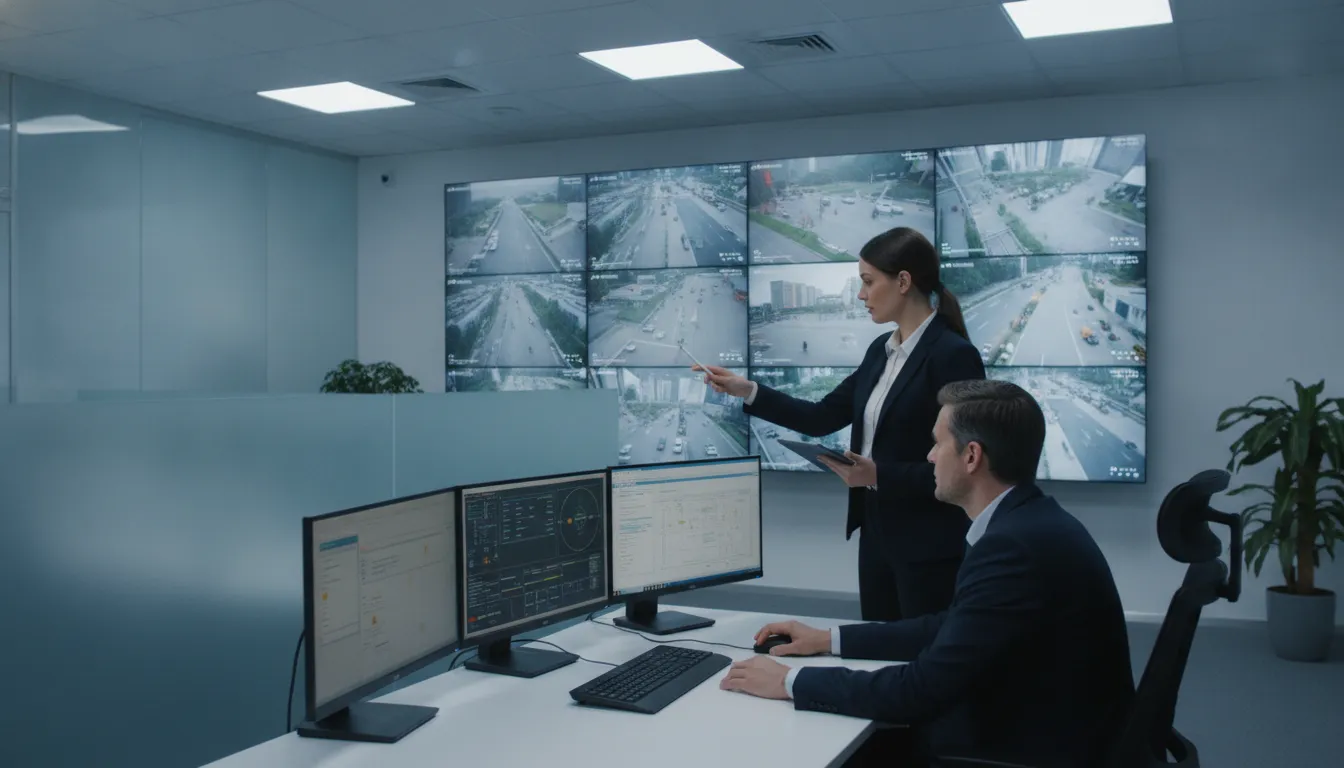
Government facilities often rely on several connected systems to protect people, buildings, and public services. Cameras may need to work alongside access control, alarms, network infrastructure, and emergency response procedures. That makes government video surveillance system installation and integration a project that requires coordination, not just equipment selection. Start by identifying what each site needs to monitor, who will use the footage, and how staff should respond to alerts or incidents. Then assess existing cabling, network capacity, storage, and privacy requirements. A courthouse, school, and public works yard will not share the same needs. Careful planning helps agencies build a system that works across real locations and daily workflows.
Define requirements before choosing equipment: Identify coverage needs, user roles, privacy rules, retention periods, and evidence procedures for each site.
Assess the complete system: Compare cameras, software, storage, networks, cybersecurity, procurement requirements, and compatibility with existing technology.
Plan beyond installation: Set clear project responsibilities, test system performance, train staff, and schedule maintenance, access reviews, and later replacements.
What Should Government Video Surveillance System Installation and Integration Deliver?
A government video surveillance system should support clear security and operational goals. It may help staff monitor entrances, protect restricted areas, respond to incidents, and review events afterward. To do that reliably, the system needs more than cameras: it needs suitable coverage, dependable recording, clear access rules, and procedures staff can follow.
Start by identifying the sites, risks, and users the system must serve. A courthouse, school, utility site, and public service center have different layouts, operating hours, and privacy considerations. Those differences should shape camera placement, image-quality requirements, monitoring workflows, and retention settings. Include the staff who will use or manage the system, as well as records, legal, privacy, and IT teams whose requirements may affect its design.
Then translate those needs into specifications and day-to-day procedures. Define what footage must show, how quickly staff need to find it, who may view or share recordings, and how long footage should be kept. Consider how the system will work with existing networks, cabling, access control, and alarms. FastString’s project process emphasizes collaborative planning, while its technology services include video surveillance, access control, structured cabling, and related systems. Planning these elements together helps agencies set practical expectations before installation begins.
Define security goals, sites, users, and coverage gaps
Begin with a site walk and a clear list of security priorities. Map entrances, perimeter areas, parking lots, public counters, loading zones, and restricted spaces. For each location, note the risk the camera should address and what staff need to see. Check existing views, blind spots, mounting options, lighting, and any privacy limits on recording.
Next, define user roles. Operators may need live views, investigators may need to search past recordings, and IT staff may need to manage system settings. Records personnel may handle requests for footage. Documenting these responsibilities helps determine permissions and avoid relying on shared accounts.
Use that goal to guide placement, then confirm each camera’s view during a site review. The result should be a prioritized coverage plan tied to specific locations, risks, and users.
Set requirements for image quality, low light, field of view, and analytics
Set camera requirements according to the task at each location. A wide field of view may suit an open lobby, while a narrower view may be needed to capture useful detail at an entrance. Account for camera distance and height, changing light, glare, weather, and nighttime conditions. Specify where staff must be able to recognize a person, follow activity, or read a vehicle plate.
Where possible, describe performance in terms that can be tested on site. Review sample footage in typical day and night conditions, and confirm that the camera covers the intended area without major obstructions. If you plan to use motion detection or other analytics, consider whether the site’s lighting, traffic, and layout could lead to missed events or unnecessary alerts.
Check compatibility with existing cameras, alarms, access control, and network equipment before choosing products. Identify those requirements during design, not after installation.
Plan live monitoring, video search, evidence export, and authorized sharing
Decide how staff will use video during routine operations and incidents. If operators will monitor live feeds, specify which locations need attention, who is responsible for watching, and how they should report or escalate a concern.
For recorded footage, define how users should search by site, camera, date, time, or event. Establish expectations for finding and exporting relevant video, then test those tasks with the people who will perform them. Check that exports play correctly and include the information staff need to identify the footage.
Set rules for authorized sharing as well. Decide who can approve a release, which methods staff may use to transfer recordings, and how to document each disclosure. Clear permissions and repeatable workflows help employees access footage for legitimate needs while protecting it from unauthorized viewing or distribution.
Set retention, audit, records-management, and evidence-handling procedures
Set retention periods to match the agency’s records schedule and applicable public-records obligations, rather than leaving the recorder at its default setting. Coordinate with records, legal, and privacy staff before configuring storage, since requirements may vary by record type or agency. Confirm that the system can apply the approved rules across cameras and sites.
Document how staff should respond to a records request, investigation, or legal hold. Specify who can preserve footage, suspend routine deletion, authorize access, and approve disclosure. Configure audit logs to capture key actions, such as viewing or exporting recordings and changing permissions or retention settings.
Create a consistent evidence-handling process. Staff should know how to preserve the original recording, label and store a copy, restrict access, and record any transfer. Train relevant employees on the agency’s procedures, and review them when policies or system capabilities change.
Which Cameras, Software, and Storage Fit Agency Needs?
Choose cameras, software, and storage based on what the system needs to do at each site. A courthouse entrance, a school corridor, and a public works yard have different coverage, lighting, network, and retention needs. Map locations, likely users, and evidence requirements before selecting equipment. Treat the system as a whole: a high-resolution camera is less useful if the network cannot carry its video or storage cannot retain it long enough.
Compare fixed, PTZ, indoor, outdoor, and specialty cameras
Fixed cameras suit entrances, corridors, and other areas where a steady view is enough. PTZ cameras can pan, tilt, and zoom, making them useful for large spaces that staff actively monitor. For indoor and outdoor models, check lighting performance, temperature range, weather resistance, and vandal resistance. Specialty options, including thermal and license plate recognition cameras, can address specific visibility or identification needs.
Start with a site walk and define what each camera must capture, such as a wide overview or clear detail for incident review. The CISA physical security guidance describes common camera types and use cases. Treat these as a starting point, then confirm performance in the actual setting.
Evaluate products for performance, support, and agency requirements
Compare equipment in conditions that reflect the site, not just on a specification sheet. Review sample footage in daylight and low light, check field of view and frame rate, and confirm that outdoor models meet the site’s environmental demands. Verify procurement and cybersecurity requirements before purchase. Ask vendors for clear information about firmware support, security updates, warranties, and replacement availability.
Assess compatibility with existing access control, alarms, and video platforms, too. A new camera may require additional hardware, software, or network changes to work with older systems. The CISA physical security guidance notes that integration can be more complex than installation. Request a compatibility review and a written scope that identifies dependencies and extra work.
Assess video management software, search, permissions, alerts, and reporting
Video management software (VMS) gives authorized staff a way to view, search, and manage footage. Test how easily users can find recordings by camera, time, location, or event. Check whether they can export video in a format that supports the agency’s evidence-handling process. The platform should also provide role-based permissions, audit logs, alerts, and reports that align with agency procedures.
Ask whether the software can support future analytics or integrations without requiring a full system replacement. The CISA physical security guidance recommends planning for evolving technology and system expansion. Include staff in product testing so operators can try common tasks, rather than relying only on a vendor demonstration.
Compare on-premises, cloud, and hybrid storage
On-premises storage keeps recordings on servers or recorders at the agency’s site. It can suit agencies with long retention needs or limited upstream bandwidth, but requires local infrastructure and ongoing capacity management. Cloud storage can reduce on-site equipment needs, though agencies should assess internet reliability, ongoing support, data handling, and procurement requirements. Hybrid systems combine local recording with selected cloud services or backups.
Bring IT, security, records management, and procurement staff into the decision early. Compare where footage is stored, who can access it, how long it remains available, and what happens during a power or internet outage. Ask providers to document backup and recovery procedures.
Size bandwidth, retention, redundancy, and storage capacity
Storage requirements depend on camera count, resolution, frame rate, recording schedule, compression, and retention period. Continuous recording usually takes more space than motion-based recording, but motion settings need careful testing so important activity is not missed. Estimate bandwidth for both recording and live viewing, particularly when many cameras send high-resolution video across the same network.
Plan for equipment failure and future growth. Redundant storage or network paths can help preserve footage if a component goes offline, while capacity alerts can warn staff before storage fills. Ask the integrator to show how it calculated capacity, including retention settings and expected expansion. Include storage checks, firmware updates, and network security reviews in maintenance plans, as outlined in the CISA physical security guidance.
Check interoperability, legacy compatibility, lifecycle, and cybersecurity updates
Inventory existing cameras, recorders, access control, and alarm systems before selecting new equipment. Older components may not communicate with modern platforms without adapters, licenses, or replacement. Test compatibility early and document the work required in the project scope. This helps the agency understand integration needs before installation begins.
Check whether products use open standards where practical, and ask how long vendors provide firmware and security updates. Confirm how vulnerabilities are reported, how updates are installed, and whether changes could affect integrations. The CISA cybersecurity best practices explains how legacy systems can limit interoperability and scalability. FastString’s security, cabling, and networking services can help agencies assess how system components fit together.
How Should Agencies Address Compliance and Cybersecurity?
Government video surveillance systems must meet security, privacy, records-management, and procurement requirements. Which rules apply depends on the agency, the information the system handles, its funding, and how it will be used. A system that supports law enforcement, for example, may have different obligations from one used to monitor a public building.
Bring legal, privacy, records-management, procurement, and IT security teams into planning before selecting equipment or issuing an RFP. Together, they can identify applicable requirements and turn them into clear specifications for system design, configuration, testing, and staff procedures. Confirm requirements with the relevant agency specialists, since not every rule applies to every project.
Treat compliance and cybersecurity as core design requirements, not tasks to address after installation. Decide in advance who can access the system, how footage will be stored and shared, how long it will be retained, and how the agency will respond to vulnerabilities or incidents. A documented, collaborative project process can help coordinate decisions across security, IT, facilities, and procurement teams.
Identify applicable FISMA, CJIS, privacy, and public-records requirements
Start by identifying which laws, policies, and standards apply to the agency and the information its surveillance system may capture. Federal Information Security Modernization Act (FISMA) requirements may apply to federal information systems and certain systems operated on behalf of federal agencies. The FBI’s Criminal Justice Information Services (CJIS) Security Policy is relevant when a system handles criminal justice information. Agencies should also review applicable privacy laws and public-records requirements with legal and records-management staff. The FBI’s CJIS Security Policy outlines safeguards for criminal justice information.
Translate applicable requirements into specific project and operating procedures. These may include rules for user access, audit logs, secure data handling, and footage retention. Do not assume that every government camera system follows the same standards. Confirm the requirements early, document them, and include them in the project specifications. This gives agency staff and the integrator a shared reference for equipment selection, system configuration, testing, and ongoing oversight.
Check applicable NDAA Section 889, TAA, and other procurement restrictions
Before purchasing cameras, recorders, network equipment, or related services, check whether the project’s funding or procurement rules restrict particular products or manufacturers. Section 889 of the National Defense Authorization Act restricts certain federal procurement and use of covered telecommunications and video surveillance equipment. The Trade Agreements Act (TAA) and other purchasing rules may also apply, depending on the agency, contract, and funding. Procurement staff can review relevant clauses in the Federal Acquisition Regulation and confirm which requirements govern the project.
Ask vendors to list equipment manufacturers, model numbers, and country-of-origin details in their proposals. Verify that information against the project’s specific requirements rather than relying on general claims that a product is “government compliant.” Record the review and any required certifications or contract clauses. If equipment is substituted during installation, review the replacement against the same procurement rules before approving the change.
Segment camera networks and secure remote access
Place cameras and video management systems on appropriately segmented network infrastructure. Connecting them without review to general-purpose or sensitive operational networks can increase exposure if a camera or recorder is compromised. Work with the agency’s IT team to define network zones, permitted traffic, firewall rules, and monitoring responsibilities.
Plan remote access with equal care. Disable unnecessary external connections, limit access to approved users and devices, and use an agency-approved secure connection method, such as a managed VPN. Log remote sessions and review them according to agency policy. Before launch, test that authorized users can reach the system while unapproved devices and connections cannot. Document who can approve network changes and who staff should contact if they notice unusual activity.
Require encryption, strong authentication, and role-based permissions
Protect video and system credentials in transit and, where supported and required, at rest. Confirm the encryption features available in cameras, video management software, storage, and remote connections, then configure them to meet agency security standards. Replace default passwords during installation, use unique credentials, and require multifactor authentication for administrators and other high-privilege accounts. NIST’s digital identity guidance offers a reference for reviewing authentication practices.
Give each person only the access their role requires. Operators may need to view live feeds, while investigators or records staff may need controlled search or export permissions. Limit administrative functions to approved personnel, and use individual accounts so system activity can be traced to a user. Test permissions with representative accounts before launch, then review them whenever staff roles change. These measures help limit unnecessary access and support effective audits.
Document firmware updates, vulnerability response, and incident procedures
Establish a process for reviewing and applying firmware and software updates. Record each update, including the devices affected, approval, installation date, testing, and any changes to system behavior. Assess compatibility before updating a live system, and plan a maintenance window to reduce disruption. If a vendor reports a vulnerability, identify who evaluates the risk, approves mitigations, and documents the decision.
Create incident procedures for events such as compromised credentials, unusual network traffic, unauthorized footage access, or an outage affecting a critical location. Specify how staff report concerns, who leads the response, and when to isolate equipment or preserve logs and footage. The NIST Cybersecurity Framework can help agencies organize cybersecurity risk and response activities. Include vendor and integrator escalation contacts in the procedures, and review the plan after system changes or security incidents.
Set policies for footage access, sharing, retention, and disclosure
Set out who may view, export, share, or disclose recordings, and under what circumstances. Define approval steps for sharing footage with law enforcement, another agency, or the public, while accounting for privacy and public-records requirements. Keep an audit trail of access and exports when the system supports it.
Work with legal and records-management staff to set retention periods according to the agency’s records schedule and applicable law, rather than relying on a recorder’s default settings. Document how staff should preserve footage related to an investigation, litigation, or records request, and how routine recordings should be securely deleted when their retention period ends. Configure the video management platform to support these procedures, then review them with administrators and operators so staff handle footage consistently.
How Can Agencies Procure a System and Choose an Integrator?
A successful procurement starts with clear goals. Before requesting proposals, define what the surveillance system needs to accomplish, which locations it must cover, who will use it, and how it should fit with existing technology. Consider day-to-day needs, such as reviewing footage or responding to an alert, alongside requirements for privacy, records management, cybersecurity, and evidence handling.
A well-defined RFP helps vendors prepare comparable proposals and gives the agency a consistent way to evaluate them. It should describe the expected scope, performance standards, integration needs, project schedule, and ongoing support. Ask vendors to identify assumptions and exclusions so the agency can see what is, and is not, included.
Selecting an integrator also means looking beyond equipment. The provider should be able to coordinate cameras, software, cabling, networks, storage, and support as parts of one working system. That matters in government facilities, where security requirements and connections between systems can be complex. Reviewing an integrator’s government camera cybersecurity guide can help agencies identify the expertise their project requires.
Define performance requirements before issuing an RFP
Describe the outcomes the system must support before naming specific products. Identify buildings and areas that need coverage, expected lighting and weather conditions, who will monitor video, and how staff will search for and export footage. Include measurable requirements where possible, such as image quality, recording availability, retention periods, and service response times.
Document applicable privacy, evidence-handling, records-management, and cybersecurity requirements, too. Involve procurement, IT, security, legal, and records staff so the RFP reflects actual workflows as well as technical needs. Clear requirements give vendors a shared target and help the agency assess proposals on more than camera counts or brand names. They also make it easier to spot gaps before installation, when changes may require additional time and coordination.
Compare proposals for scope, compatibility, compliance, and support
Evaluate each proposal against the same criteria, not just the equipment list. Check whether the scope includes cameras, video management software, storage, licenses, cabling, network work, configuration, testing, training, and ongoing support. Ask vendors to list exclusions and assumptions, especially when the system must connect to existing equipment or serve multiple departments.
Assess compatibility with current infrastructure, agency cybersecurity policies, and applicable procurement rules. Ask each proposal to list maintenance, licensing, replacements, and future expansion, and to name work the agency would still need to arrange separately. Also consider how the design will share information across departments. Integration problems can create data silos and make operations harder to oversee, as noted in this discussion of CISA cybersecurity best practices. Use a consistent scoring rubric and document the reasons for the final selection.
Verify relevant experience, licensing, and a documented project process
Ask for examples of projects with similar facilities, security requirements, and technical conditions. Contact references to learn whether the integrator delivered the agreed scope, coordinated effectively with agency staff, and provided dependable support after installation. Verify licenses and credentials required for the specific work and location, along with any relevant insurance and safety qualifications.
Review the provider’s project process, including site surveys, system design, scheduling, installation, testing, and handoff. A documented process should clarify responsibilities, approval points, change management, and how issues will be handled. FastString Professional Services outlines its collaborative project process, which illustrates the type of planning agencies can ask prospective integrators to explain. Confirm that the vendor will coordinate with the agency’s IT, facilities, security, and procurement teams throughout the project.
Clarify responsibility for cameras, software, cabling, networks, and support
Put responsibility for every system component in the contract. Identify who supplies and configures cameras, video management software, storage, structured cabling, fiber, network equipment, and user accounts. Specify who handles permits, coordination with other contractors, cybersecurity settings, system testing, and ongoing maintenance.
Clear ownership is especially important when multiple vendors share the work. If a camera stops recording or staff cannot retrieve footage, the agency needs a defined path to diagnose and resolve the issue. Establish who investigates problems that involve more than one component, and name the point of contact for escalation. Avoid vague handoffs that leave the agency coordinating between contractors. Providers with capabilities across security, cabling, networking, and IT may be able to coordinate related work under a clearly defined scope.
Set acceptance criteria, warranties, service levels, and training requirements
Decide how the agency will verify that the system is ready for use. Acceptance criteria might cover camera views and image quality, recording and playback, search and export, user permissions, retention settings, alerts, and backup or failover functions. Specify how defects will be documented, corrected, and retested before final acceptance.
The contract should state support hours, response and repair targets, software support, and procedures for urgent outages. Require practical training for administrators and operators, along with documentation covering system settings, workflows, troubleshooting, and maintenance. Tailor training to each user’s role, and confirm the agency receives the credentials and records needed to manage the system securely. A clear handoff helps staff understand how to use the system and what steps to take when something goes wrong.
How Does Government Video Surveillance System Installation and Integration Work?
Government video surveillance installation involves more than mounting cameras. The system needs to suit the facility, connect reliably to the agency’s network, meet applicable security and privacy requirements, and support the people who will use it. A careful process helps teams identify design issues early, coordinate vendors, and reduce disruption during installation.
Survey sites, cabling, network capacity, power, and coverage needs
Begin with a walk-through of each building and outdoor area. Identify entrances, public counters, parking areas, loading zones, restricted spaces, and locations where incidents have occurred. Note existing cameras and gaps in coverage. The survey should also document cable routes, network capacity, power sources, lighting, weather exposure, and any construction or operational constraints.
Include representatives from IT, facilities, security, and relevant agency departments. Their input can reveal practical issues, such as limited space in network closets or areas where recording would raise privacy concerns. Record findings in a site plan so the design team can refer to them throughout the project. FastString’s collaborative project process helps align planning with each facility’s requirements.
Design camera placement, pathways, connectivity, and storage
Use the survey findings to create a camera plan that shows what each device needs to capture and how it will connect to the system. Consider viewing angle, mounting height, lighting, weather exposure, and possible obstructions. A camera suited to a doorway may not provide useful coverage across a large parking area, so match the camera and lens to the intended task.
The design should map cable pathways, network connections, recording equipment, and storage capacity. Account for expected footage volume and retention policies, and plan for future expansion without collecting video that the agency does not need. Document camera locations and their purpose so staff can review coverage and system changes later.
Install cameras, structured cabling, fiber, and network equipment
Once the design is approved, installers can put in cameras, mounts, structured cabling, fiber, switches, and other network equipment. Before work begins, identify access requirements, safety procedures, shutdowns, and areas that must remain available to staff and the public. Label cables and document connections as installation progresses, rather than trying to reconstruct them after the project is complete.
For campuses or facilities with separate buildings, fiber may be part of the connection plan between network locations. Confirm that equipment and cable routes match the approved design and are protected from damage. Keep records of installed devices, cable paths, and network connections for maintenance teams. FastString provides structured cabling and fiber installation, which can be coordinated with video surveillance and other facility technology.
Configure software, permissions, cybersecurity, and retention
After installation, configure video management software, recording schedules, alerts, user accounts, and retention settings. Give each user access suited to their role. An operator may need to view live video and search recordings, while an administrator may also manage accounts and system settings. Establish who approves access and how permissions are removed when responsibilities change.
Protect cameras, recorders, and management software as connected devices. Use strong authentication, secure remote access, and a documented process for applying software and firmware updates. Set retention periods according to agency policy and applicable records requirements, not simply the system’s default settings. Keep a record of configuration decisions and changes.
Integrate access control and emergency response systems where appropriate
When agency needs call for it, connect video surveillance with access control, alarms, or emergency response workflows. For example, staff may use an access event to find relevant footage, or a security operator may follow a defined procedure when an alarm is triggered. Integration should make it easier for teams to act, not add unnecessary alerts or complicated steps.
Before connecting platforms, confirm product compatibility and decide which information each system can share. Test the workflow with the staff responsible for daily operations and emergency response. Set clear rules for who may view, export, or share footage, and document how integrated systems should be used during an incident. FastString’s security services include access control and video surveillance, making coordination between these systems a useful part of project planning.
Coordinate schedules and vendors to limit operational disruption
Government facilities may need to stay open throughout installation. Plan work in phases, schedule disruptive tasks around operating hours where possible, and notify staff about restricted areas or temporary changes. Assign a point of contact for facility access, IT questions, safety concerns, and schedule updates so teams know where to direct issues.
Set responsibilities for the agency, integrator, network provider, and other vendors before work starts. Confirm who supplies equipment, approves network changes, manages credentials, and signs off on completed work. A shared schedule, contact list, and escalation process can help resolve delays without stalling unrelated tasks. FastString outlines a collaborative project process that reflects the value of clear planning and communication among project teams.
Address legacy-system limitations and integration risks
Older cameras, recorders, cabling, and access control platforms may not work with newer software or network equipment. Document the agency’s existing technology and confirm which components can be reused, upgraded, or need replacement. Compatibility reviews should cover supported protocols, software versions, licensing, and whether vendors still provide support.
Do not assume that a device will integrate simply because it connects to the network. Test important connections before committing to a full rollout, and plan an alternative if a legacy component cannot support a required function. Record known limitations and dependencies so they can be addressed during design and acceptance testing. Agencies can use the NIST Cybersecurity Framework to organize risk discussions around connected systems and operational dependencies.
Test image quality, recording, search, alerts, failover, and evidence export
Test the system under real operating conditions, including daytime, nighttime, and challenging lighting where relevant. Check that camera views are usable, recordings are complete, timestamps are accurate, and video can be retrieved within a reasonable time. Confirm that operators can search footage, respond to alerts, export video, and follow the agency’s evidence-handling procedures.
Test how the system responds when a camera, network connection, or recorder becomes unavailable. Verify that alerts reach the right staff and that any backup or failover features work as intended. Document test results, outstanding issues, and approvals before accepting the system. This record gives maintenance teams a useful baseline for future troubleshooting. NIST’s digital evidence resources provide information agencies can consider when handling and preserving electronic evidence.
Train operators and document workflows, privacy procedures, and troubleshooting
Tailor training to each user’s responsibilities. Operators may need practice with live monitoring, playback, search, alerts, and video export. Administrators may also need instruction on account management, system settings, updates, and audit logs. Use realistic scenarios so staff can practice before they need to respond to an incident.
Provide written procedures for access approvals, footage sharing, retention, privacy concerns, and technical problems. Include basic troubleshooting steps, escalation contacts, and instructions for documenting outages or evidence requests. Make sure staff know which actions they can take themselves and when to contact an administrator or support provider. Review training materials as roles, policies, and system settings change. FastString’s project approach supports planning around the people and procedures that keep installed technology useful.
What Should Agencies Compare Beyond the Camera List?
There is no single scope for a government video surveillance system. The work depends on how many cameras a site needs, the conditions of the installation, how long footage must be retained, and whether the system needs to connect with existing networks or security tools. A project plan should account for equipment, software, storage, cabling, labor, integration, training, and ongoing support.
Compare the full scope of work, not just the camera count. Ask vendors to identify quantities, assumptions, and exclusions so the team can see what each proposal covers. A system that works with existing infrastructure may need a different scope from one that requires new cabling, network upgrades, or expanded storage.
A collaborative planning process can help identify site requirements and clarify responsibilities before installation begins. FastString Professional Services outlines its project process, which includes planning and coordination for technology projects. Use that kind of early planning to make the scope clear before installation.
Separate cameras, software, storage, cabling, labor, and integration
Break the scope into clear categories: cameras and mounting hardware, video management software, storage, cabling, installation labor, configuration, and integration. The number and type of cameras, recording quality, retention period, site access, and existing infrastructure all change the work. Ask vendors to explain how these requirements shape the proposal.
Ask each bidder to show how its scope accounts for the site, using CISA physical security guidance as a reference for the operational questions the plan should answer.
Account for network upgrades, licenses, permits, and training
Cameras are only one part of the system. Check whether the network can carry the expected video traffic, whether switches have enough capacity, and whether new structured cabling or fiber is required. Include software licenses, storage arrangements, permits, lift equipment, and site-access needs in the scope. If work must take place in occupied or secure buildings, include any scheduling or coordination needs.
Procurement requirements can affect product choices and project timelines. Federal purchases may be subject to Trade Agreements Act requirements, while state and local agencies may have additional bidding rules. Confirm applicable requirements with procurement and legal staff before selecting equipment. Include operator and administrator training, too, including guidance on privacy procedures, footage access, and routine troubleshooting.
Include maintenance, replacements, and software support
Installation is only the beginning of the system’s support needs. Plan for inspections, firmware and software updates, camera cleaning, storage checks, cybersecurity reviews, and technical support. Regular maintenance can help identify offline cameras or recording failures before they create gaps in coverage.
Also plan for equipment replacement over time. Ask vendors about support duration and how replacements are handled. FastString’s range of technology services can help agencies consider surveillance alongside related infrastructure and support needs.
Compare the full scope, not just the first installation
A narrow proposal may leave out work that affects long-term performance, such as network upgrades, software licenses, training, or ongoing support. Compare proposals against the same scope and time period. Ask each vendor to state its assumptions about storage and retention, and identify work that is not included.
Then assess whether each option meets the agency’s requirements for image quality, evidence handling, cybersecurity, records policies, and technical support. A broader scope may be appropriate if the system works with existing infrastructure, meets retention needs, and has a clear support plan. CISA physical security guidance is a useful reference when teams weigh evidence quality and long-term support alongside the equipment list.
Consider phased installation and future expansion
Installing every camera at once may not fit an agency’s schedule or operating constraints. A phased project can prioritize entrances, public-facing areas, or sites with the greatest coverage gaps, then extend coverage as later phases allow. The system design should support expansion without requiring agencies to replace core equipment or redo completed work.
Ask the integrator to plan for future camera capacity, storage growth, network bandwidth, and software licenses. Identify infrastructure that should be installed in the first phase, such as fiber pathways or network switches, to avoid additional disruption later. Set consistent standards for camera models, naming, permissions, and retention across sites. CISA physical security guidance also supports treating maintenance and training as part of long-term planning.
How Can Agencies Maintain Performance and Compliance?
Installing a government video surveillance system is only the start. Regular maintenance helps agencies keep cameras recording, retrieve footage when needed, and identify problems before they affect security operations. It also supports consistent handling of user access, retention settings, updates, and evidence.
Start with a written maintenance plan that names responsible staff, sets inspection and review schedules, and explains how teams should document findings. Tailor the schedule to each facility’s operating hours, environmental conditions, equipment age, and security needs. A camera exposed to weather or dust may need more frequent checks than one in a controlled indoor space.
Include the full system in the plan, not just the cameras. Recording servers, storage, switches, cabling, and power equipment all affect performance. FastString’s video surveillance and network services can help agencies plan support for these connected components. Keep current equipment inventories and system diagrams alongside maintenance records so staff and service providers can understand what is installed and how it is configured.
Finally, make maintenance part of the agency’s ongoing operations. Assign someone to review alerts, approve system changes, check access records, and coordinate repairs. Clear ownership helps ensure that small issues receive attention and that significant changes are recorded and tested.
Inspect cameras, storage, and network equipment regularly
Check camera lenses, housings, mounts, and views for dirt, damage, moisture, or movement. Confirm that cameras still cover their intended areas, and look for new obstructions such as vegetation, construction, or signage. For outdoor equipment, inspect seals and connections for signs of weather exposure.
Include recording servers, storage devices, switches, cabling, and power equipment in routine checks. Record the inspection date, equipment condition, any issues found, and the action taken. This is especially useful when an agency relies on older infrastructure. Legacy systems may lack current security features, vendor support, or the ability to integrate easily with newer equipment, as noted in this overview of CISA cybersecurity best practices. Use inspection records to prioritize repairs and plan replacements before a failure interrupts coverage.
Monitor system health, capacity, offline cameras, and recording failures
Use video management software and network monitoring tools to check camera availability, recording status, storage capacity, and network performance. Set alerts for offline cameras, interrupted streams, failed recordings, or storage nearing capacity. Assign staff to review alerts and confirm that urgent notifications reach the right people, including after-hours contacts when needed.
Test recorded footage as well as live views. A camera may appear online even if recording has stopped or footage cannot be retrieved. Schedule sample playback and evidence-export checks for every site, and record the results. Track storage use over time so the agency can address capacity issues before they affect retention. Older surveillance infrastructure can make search, remote access, and expansion difficult, as explained in this overview of video surveillance guide. Use monitoring results to identify recurring failures and plan improvements.
Apply updates through documented change control
Keep camera firmware, video management software, servers, and network equipment current, but plan updates before applying them. Check compatibility with the agency’s hardware and software, review vendor guidance, identify affected devices, and test changes in a controlled environment when possible. Schedule work to reduce disruption to monitoring and recording.
Document the reason for each change, required approvals, affected systems, implementation time, test results, and rollback steps. After an update, verify live video, recording, playback, permissions, and integrations. For significant changes, assess the risks and confirm the system still meets facility needs. A structured approach is particularly important in government environments, where security needs can vary by site. Agencies can draw on the same risk-focused planning used in a government camera cybersecurity guide when establishing change-control procedures.
Review user access, retention settings, and audit logs
Review user accounts on a regular schedule and whenever staff members change roles or leave the agency. Remove inactive accounts, limit permissions to job responsibilities, and require strong authentication for administrative and remote access. Confirm that only authorized users can view live feeds, search recordings, export footage, or change system settings.
Check retention settings against agency policy, applicable records requirements, and any legal holds. Do not rely on available storage alone to determine how long footage is kept. Review audit logs for access, exports, configuration changes, and unusual activity. Record who completed the review and how the agency addressed any concerns. Requirements can vary by agency and jurisdiction, so involve records staff, legal counsel, and security leadership when setting procedures for access, retention, and disclosure.
Define troubleshooting, repair, and escalation procedures
Write down how staff should respond to common issues, including camera outages, recording failures, network interruptions, storage warnings, and suspected unauthorized access. Specify who receives alerts, what initial checks staff should perform, and when to contact IT, facilities, security leadership, or the system integrator. Set clear escalation steps for problems affecting critical sites or footage needed for an investigation.
Document each issue, its impact, the response, resolution time, and any follow-up work. Include instructions for preserving relevant footage during a system fault, with clear rules for who can export it and where it should be stored. Defined roles help prevent delays when several departments or vendors share responsibility. FastString’s project process emphasizes planning and collaboration, which agencies can also apply when agreeing on support responsibilities and escalation paths with an integrator.
Plan preventive maintenance, lifecycle replacement, and ongoing technical support
Create a maintenance calendar for camera cleaning, recording tests, storage checks, network reviews, software updates, and access audits. Use equipment age, failure history, vendor support, security needs, and the consequences of downtime to set replacement priorities. A phased plan can help agencies address high-risk components while maintaining compatibility with equipment that remains in service.
Plan ongoing support such as software support, storage expansion, replacement parts, labor, and staff training. Confirm who provides technical support, expected response times, after-hours coverage, and responsibility for coordinating vendors. Request clear handoff materials, including device inventories, network diagrams, configuration records, warranties, and operating procedures. These records help maintain continuity when agency staff or service providers change, and they give technicians the information they need to diagnose problems and support future upgrades.
Frequently asked questions
What information should an agency gather before requesting proposals?
Prepare a list of sites, priority locations, existing cameras and network equipment, user roles, retention needs, and applicable agency requirements. Include known coverage gaps and the tasks staff must be able to complete, such as finding and exporting footage. This gives vendors a clearer basis for their designs and estimates.
Can an agency keep its existing cameras when installing a new system?
Possibly. Ask an integrator to check each camera’s condition, software compatibility, image quality, and available vendor support. Test older equipment with the proposed video management software before relying on it. Reuse can reduce replacement needs, but unsupported or incompatible devices may create extra work and security concerns.
How can staff confirm cameras provide useful coverage?
Review sample footage from each camera in the conditions it will face, including nighttime or challenging lighting where relevant. Confirm the view captures the detail needed for its purpose, then test playback and video export with the staff who will use those features. Record any adjustments made during testing.
How should an agency handle a camera outage or recording failure?
Set a clear reporting and escalation process before the system goes live. Staff should know who to contact, how to document the issue, and how to preserve relevant footage if an incident is involved. The agency should also test alerts and confirm that support contacts can respond when critical locations lose coverage.
What should the agency receive before accepting the completed system?
Request documented test results, updated camera and network diagrams, equipment and license records, support terms, configuration information, and user training. Confirm that authorized staff can view, search, export, and manage recordings according to their roles. Resolve or document outstanding issues and agree on who will address them before signing off.