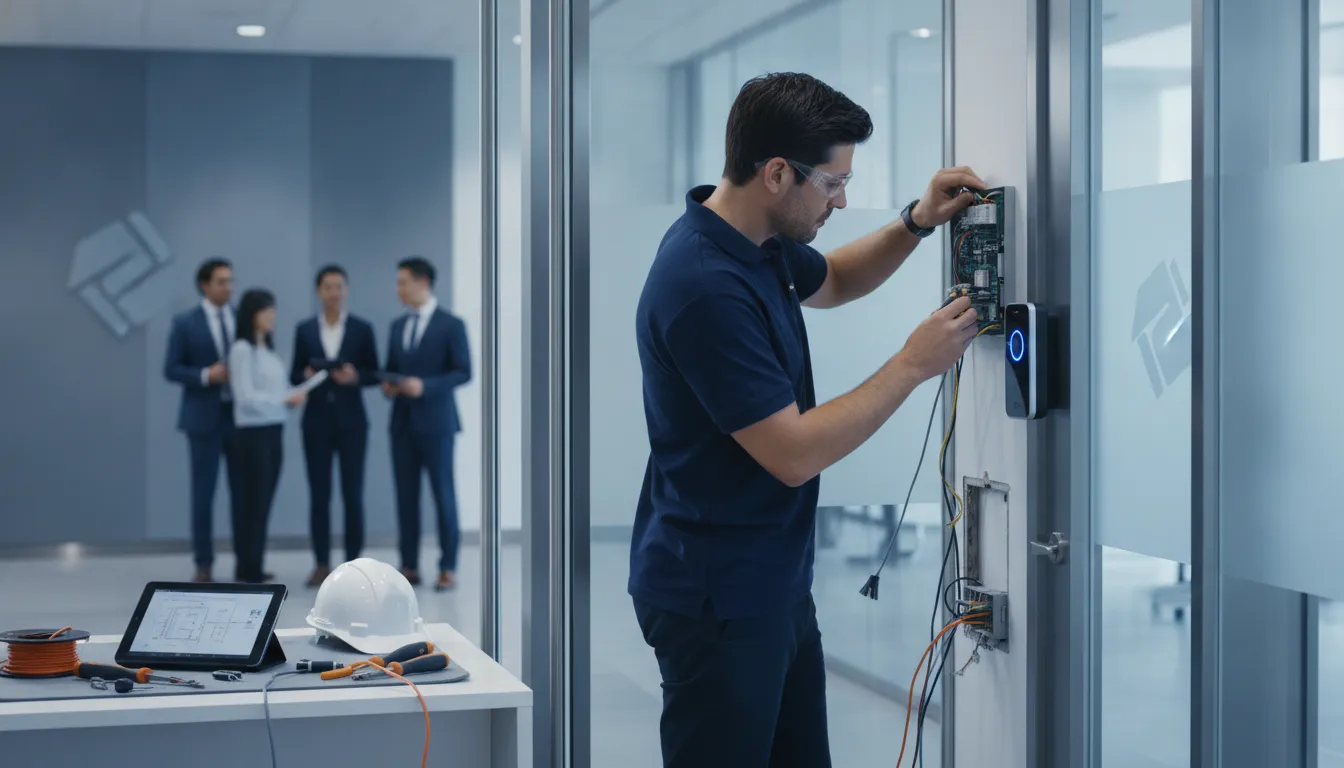
A card reader that fails at a busy entrance can disrupt more than access. It can slow staff, frustrate visitors, and leave your team unsure who can enter restricted areas. If your current system is difficult to maintain or no longer fits the way your building operates, it may be time to consider a commercial access control system upgrade and retrofit. The right approach depends on your doors, wiring, network, existing equipment, and security needs. This guide explains how to assess your system, compare retrofit and replacement options, plan installation, and choose a qualified partner. With a clear plan, you can improve access management while keeping daily operations in view.
Key Takeaways
- Assess the whole facility before choosing a system: Document each opening, existing equipment, user workflows, network needs, and safety requirements.
- Compare retrofit and replacement options carefully: Reuse compatible components when they meet current needs, and plan replacement for unsupported equipment or future expansion.
- Coordinate the project across teams: Involve facilities, IT, security, and operations in integration planning, installation schedules, testing, training, and ongoing maintenance.
What Is a Commercial Access Control System?
A commercial access control system manages who can enter a building or specific area, when they can enter, and which doors or spaces they can use. It brings together credentials, readers, controllers, door hardware, sensors, and management software to make and record access decisions. A Houston clinic might use it to separate public areas from staff-only spaces, while a school, office, or industrial facility may need different permissions for entrances, storage areas, and sensitive rooms.
Unlike a traditional key system, electronic access control lets authorized administrators update permissions without collecting and replacing physical keys. Depending on the setup, the system can record successful entries and denied attempts, helping teams review activity and manage access across multiple doors or locations.
The right configuration depends on the building, its daily operations, existing infrastructure, and security goals. It may also need to work with other systems, such as video surveillance or intercoms. FastString Professional Services offers access control and related technology services to help organizations plan systems around their facilities and operational needs.
How credentials, readers, controllers, locks, and software work together
A person presents a credential, such as a card, fob, PIN, mobile credential, or temporary visitor pass, to a reader at a door, gate, or elevator. The reader sends the credential information to a controller. The controller checks the person’s permissions and access schedule, then signals the door hardware, such as an electric strike or magnetic lock, to release if access is allowed.
Management software gives authorized staff a way to issue or revoke credentials, set schedules, and review activity. Request-to-exit devices and door sensors can support normal operation and report whether a door is open or closed. Because each component depends on the others, planning should account for the opening, hardware, wiring, power, and network. provides an overview of how these parts work together.
How teams manage permissions, entry events, and audit records
Administrators can assign access based on a person’s role, location, schedule, or temporary need. For example, a contractor may need access to one area for a limited period, while facilities staff may require access to several areas during work hours. Giving each person only the access needed for their job helps reduce unnecessary entry.
The system can record entry attempts, including denied access, so authorized staff can review events when questions arise. These records may help teams investigate an incident, confirm that a former employee’s credential has been disabled, or check whether schedules reflect current operations. It helps to define who approves access, who updates permissions when roles change, and who reviews event records. Clear responsibilities make routine administration easier and help keep access rules current.
How access control connects to doors, networks, video, and building systems
Access control may connect with video surveillance, intercoms, alarms, elevators, parking systems, and other building technology. For example, staff may want to review camera footage associated with a door event, or limit elevator access to approved floors. Before integrating systems, decide what event should trigger an action, which platform will hold the primary record, what information needs to pass between systems, and who will maintain the connection.
Network and power requirements also affect system design. Teams should clarify how controllers communicate, what functions remain available during an internet outage, and how the system will receive maintenance and updates. Coordinating access control with FastString’s security, cabling, and IT services can help address these dependencies during planning. Its project process emphasizes collaboration and planning around each client’s site and requirements.
Why Upgrade or Retrofit Your Access Control System?
An access control system needs to keep pace with the way your organization uses its buildings. Staff, schedules, security priorities, and technology can all change over time. If your current system makes it difficult to update permissions, maintain equipment, or track entry events, an upgrade or retrofit may address those gaps.
An upgrade can replace outdated components or add features to an existing system. A retrofit may let you keep serviceable doors, locks, or wiring while updating readers, controllers, or software. The best approach depends on the condition of your equipment, the layout of your facility, and the needs of the people who use it. For example, a healthcare facility may need tighter controls for sensitive areas, while a school may need a straightforward way to manage staff and visitor access.
Before choosing a scope, identify what works well and where your team encounters friction. Consider how a change could affect daily operations, future expansion, and connections with other systems. FastString’s security and technology services include access control and video surveillance, with project planning tailored to each client’s requirements.
Strengthen security and credential management
Staff changes, lost cards, and shifting responsibilities can leave access permissions out of date. An upgrade gives your team a chance to review who can enter each area, remove credentials that are no longer needed, and align permissions with current roles. This is especially important in facilities with restricted spaces, including clinics, financial institutions, data centers, and industrial sites.
Modern management tools can also make it easier to issue, change, or deactivate credentials promptly. That can reduce reliance on physical keys or shared codes that are difficult to track. points to credential policies and system planning as important parts of an effective installation. Reviewing your current practices can help reveal gaps and establish clear procedures for routine updates and urgent changes.
Simplify administration across teams and locations
When teams manage users, doors, and permissions through separate tools or inconsistent processes, even routine changes can take extra time. A modernized system can centralize administration, making it easier to update access when employees join, change roles, or leave. Authorized staff may also gain a clearer view of entry activity across departments or locations.
Integration can help teams work with fewer disconnected systems. For example, connecting access control with video surveillance can make it easier to review an entry event alongside relevant footage. The right setup depends on your existing technology and the way your staff handle security tasks. FastString’s collaborative project process helps organizations define their requirements and plan system integrations before installation begins.
Fix aging equipment, support gaps, and maintenance issues
Older readers, controllers, locks, and software can become harder to maintain as components wear out or vendors discontinue products. You may encounter recurring faults, slow response times, limited reporting, or trouble finding compatible replacement parts. These issues can interrupt daily operations and make security less consistent across a facility.
A retrofit may allow you to replace problem components while keeping serviceable infrastructure in use. A full replacement may make more sense if the system depends on unsupported software or proprietary equipment. Assess the condition and compatibility of each component before deciding what to retain.
Prepare for growth and changing operational or compliance needs
A system that works for one building or a small team may not suit an organization adding locations, departments, or restricted areas. An upgrade gives you a chance to plan for new entry points, changing schedules, additional administrators, and updated security procedures. Scalable hardware and software can make those changes easier to manage and help avoid another major overhaul.
Operational and compliance needs can also change over time. Healthcare providers, schools, banks, and industrial businesses may have different requirements for access records, visitor procedures, and sensitive areas. Identify the requirements that apply to your facility, then confirm that a proposed system can support them.
How Do You Assess Your Existing System?
Start with a clear picture of what is installed, how people use it, and where the system causes friction. Assess every building and controlled opening before you select equipment or schedule work. A thorough review can help you identify hardware worth keeping, areas that need immediate attention, and building conditions that may affect installation.
Treat the assessment as both a technical review and an operational one. Equipment lists matter, but so do staff routines, visitor flows, emergency procedures, and the consequences of an outage. Record what you find in a shared document or floor plan, then confirm details with the teams who manage and use the system. This gives your installation partner a practical foundation for planning a solution around your facility, rather than relying on assumptions.
Inventory doors, gates, elevators, readers, locks, controllers, and software
List every controlled opening at each site, including doors, vehicle gates, elevators, turnstiles, and other restricted entry points. For each one, record its location, users, operating hours, visitor or delivery needs, and role in emergency egress. Note the installed reader, lock, controller, and management software, along with manufacturer, model, approximate age, and known service history.
Also document available power and network connections. Include related equipment and any shared systems that support multiple openings. A consistent inventory can reveal outdated components, gaps between buildings, or equipment that may be reusable. It also gives your team a reliable basis for comparing retrofit and replacement options. outlines useful details to capture about openings, users, and system components.
Inspect doors, frames, hardware, accessibility, and traffic
Check each door and frame for damage, wear, alignment problems, and signs of repeated repairs. Record the condition and type of hinges, closers, locks, and other hardware. Note whether the opening supports accessible entry and whether its current setup creates difficulty for anyone using it.
Consider how the opening functions throughout the day. Is it a busy staff entrance, a patient access point, a loading area, or an emergency exit? Are there predictable traffic peaks or times when hands-free entry would help? These details can affect hardware selection and installation requirements. Before planning modifications, review each opening’s condition, purpose, and applicable requirements. covers these checks, along with the value of accounting for future improvements.
Review wiring, power, networks, and system communications
Trace how readers and controllers connect to power, local networks, internet service, and any hosted management platform. Note wiring routes, cable condition, available network ports, and areas where access for new cabling may be limited. Ask IT to identify network policies, cybersecurity requirements, and any systems that rely on the same connections.
Plan for different kinds of failure separately. A power loss, local network outage, internet disruption, hosted-service interruption, or lost credential can affect access in different ways. Document what happens to each opening in those situations, including how people can exit safely and how staff should respond. This information helps identify continuity gaps before an upgrade begins. discusses planning for power, network, internet, and credential issues as distinct scenarios.
Document permissions, workflows, pain points, and continuity needs
Describe who can enter each area and when their access applies. Include employees, contractors, visitors, vendors, and temporary staff. Document how your team issues credentials, approves permission changes, removes access when someone leaves, and handles lost cards or visitor entry. Identify who owns each task and whether the process is manual or automated.
Then list the problems staff encounter, such as delays updating permissions, shared credentials, confusing administration, incomplete entry records, or difficulty responding to an incident. Explain the operational impact of each issue. A process that slows shift changes or disrupts access to a critical work area deserves attention alongside faulty equipment. explains how weak planning and poor system integration can create security vulnerabilities.
Rank access points by risk and identify critical areas
Assign each opening a priority based on the risk of unauthorized entry and the consequences of a disruption. A server room, medication storage area, cash-handling space, or restricted production zone may need tighter control than a general office entrance. Consider who uses each area, when access is needed, and whether deliveries or visitors require a separate process.
Mark high-priority openings on a floor plan and note why they need additional attention. Include emergency exits, lockdown procedures, and any doors that must remain available for safe egress. This ranking helps your team focus on the areas where a failure or unauthorized entry could have the greatest effect. highlight security zones, vendor access, employee movement, and emergency procedures as factors to consider.
Involve facilities, security, IT, operations, and affected teams
Bring the people who manage and use the system into the assessment. Facilities staff can flag door conditions and maintenance needs. Security can explain monitoring and incident response. IT can review network and integration requirements, while operations can identify busy periods, delivery routines, and the impact of access interruptions.
Ask department leads and employees where current processes cause delays or workarounds. If people share credentials or prop doors open, document why it is happening and address the underlying issue in the upgrade plan. Agree on who approves permissions, administers the system, and responds during an outage. A collaborative planning process helps connect technical decisions with the practical needs of your building and its teams.
What Retrofit Constraints Should You Check?
A successful retrofit starts with the building, not the equipment catalog. Existing readers, locks, wiring, doors, and network connections can affect what you can reuse and how installation should be scheduled. The way people enter, exit, and move through each space matters too.
Walk the site with facilities, security, IT, and operations teams. Record the condition of each opening, note the equipment already in place, and identify doors that need to stay available during work. This gives your installer a clearer view of compatibility, safety, and scheduling needs. FastString’s collaborative project process is designed to account for each client’s requirements and site conditions.
Check legacy hardware, proprietary systems, and unsupported software
List the make, model, and age of each reader, controller, lock, and software platform. Older equipment may still work, but it could lack manufacturer support, security updates, or compatibility with newer credentials. Proprietary systems can also limit your options for replacement parts or integration with video surveillance, alarms, and other business systems.
Ask your installer to identify what can be reused and what should be replaced. Confirm whether current software is supported, how user permissions and records can be transferred, and whether the planned system can connect with the tools your organization relies on.
Review wiring, power, and network limits
Existing cable may be damaged, poorly labeled, or unsuitable for new devices. Check cable routes, distance to equipment rooms, available power, backup power, network capacity, and the condition of switches and connections. For sites with several buildings, confirm that the network can support additional devices without affecting other services.
Ask your installer to test the wiring and document any gaps before equipment is ordered. Discuss how doors should operate during a power or network interruption, including which entrances must remain secure and which must allow free egress. Include time for testing and transition work in the schedule.
Assess openings, doors, frames, and architectural restrictions
Inspect every opening where you plan to add or change access control. Door material, frame condition, hinges, closers, glass panels, and existing mechanical hardware can affect which locks and readers will fit. A door that does not close properly may need repair before electronic hardware is installed.
Consider how people use each entrance, including staff routes, public lobbies, delivery areas, accessible entrances, and high-security rooms. Observe traffic during normal operations to spot bottlenecks and identify doors that need different access rules. Share your findings with the installer before selecting equipment.
Check preservation rules and limits on drilling or modifications
Some properties restrict changes to doors, walls, frames, or visible finishes. This may apply to historic buildings, leased spaces, campuses, healthcare facilities, and sites with specific owner requirements. Before work begins, confirm who must approve modifications, whether drilling or surface-mounted equipment is permitted, and whether permits or other documentation are required.
Ask your installer to recommend options that fit the property’s rules. Depending on the opening, the project may be able to reuse existing pathways, use different hardware, or require approval from the building owner before work starts. Do not assume a minor change is automatically allowed. A site review and clear approval process can help prevent rework and keep the project on schedule, especially when the building remains occupied.
Identify inconsistent hardware across buildings
Organizations with multiple locations often have a mix of readers, locks, controllers, and software installed over time. This can complicate support and credential management, and it may mean users encounter different procedures at different sites. A device that can be reused in one building may not work with the planned system in another.
Create a site-by-site inventory before deciding what to standardize. Record device models, software versions, door types, known faults, and how each location manages credentials and permissions. Then ask your installer which equipment is compatible and where standardization makes sense. FastString’s range of integrated technology services can help businesses plan access control alongside related systems across their facilities.
Maintain safe egress and secure access during installation
Installation can temporarily change how people enter, exit, and move through a building. Plan work around occupancy and critical operations, and identify which doors must remain available. Decide how staff, visitors, contractors, and emergency responders will access the site while a reader or lock is offline. Share temporary routes and procedures before work begins.
Coordinate with facilities and security before taking an entrance out of service. Test temporary arrangements, assign someone to monitor affected doors, and confirm how each opening will be left at the end of a work period. Security equipment should work with systems such as video surveillance and intrusion detection, without obstructing required exits. Test normal access and emergency egress before reopening each affected area.
Meet fire, life-safety, accessibility, and code requirements
A retrofit must meet the requirements that apply to the building, its use, and each opening. Check fire and life-safety rules, accessibility needs, local codes, and any requirements tied to occupancy or emergency procedures. Confirm requirements with the relevant authorities and qualified design or installation professionals before selecting hardware.
Pay close attention to how doors operate during a power loss, alarm, or evacuation, and whether people can use them as required. Review accessible routes, reader height and reach, clear floor space, and the needs of people who use mobility aids. Document approvals and involve the appropriate stakeholders in testing. Address these requirements during planning so they inform equipment choices and installation, rather than becoming last-minute changes.
Should You Retrofit or Replace the System?
The right choice depends on the condition of your current equipment, the needs of your building, and the capabilities your organization expects from an access control system. A retrofit can make sense when doors, hardware, and infrastructure are in good shape and can work with the new system. Replacing some or all of the equipment may be a better option when aging components limit security, support, or future expansion.
Assess the full system, but make decisions opening by opening. A building may have serviceable doors in one area and damaged or incompatible hardware in another. Compare the costs and operational impact of each approach, including installation, maintenance, downtime, and any required building modifications. Involve facilities, security, and IT teams early, and confirm that the plan supports safe egress and applicable code requirements.
Reuse serviceable doors, hardware, or infrastructure when possible
A full replacement isn’t always necessary to improve access control. If doors, frames, locks, wiring, and other components are in good condition and compatible with the planned system, you may be able to keep them and update selected equipment. Reusing serviceable materials can help control project costs, limit construction work, and preserve the character of older or architecturally sensitive buildings.
Start with an inspection rather than assuming existing components will work. Check their condition, compatibility, and ability to meet current operational and safety needs. Have a qualified installer confirm which components can stay and which may need adjustment or replacement.
Replace unsupported equipment or systems with limiting features
Some components have reached the end of their useful life. Unsupported software or controllers can make updates, troubleshooting, and integration difficult. An older system may also lack features your organization needs, such as centralized administration across locations or accessible audit records. Replacing the equipment that limits performance can give your security plan a more reliable foundation.
Inspect the doors and hardware as well as the electronics. A warped, heavily damaged, or deteriorating door may not operate reliably or meet applicable fire-rating requirements. Identify which components can remain, then confirm the plan with qualified professionals. FastString’s security services include access control and video surveillance, allowing organizations to consider these systems together when planning an upgrade.
Compare compatibility, scalability, maintenance, downtime, and lifecycle costs
Look beyond the purchase price. A retrofit may require adapters, wiring changes, or additional labor to connect older equipment to new software. A full replacement may cost more initially, but could simplify maintenance or make future additions easier. Include hardware, cabling, installation, software and licensing, support, integrations, and work at each opening in your estimate.
Consider how each option will handle growth, staff changes, and new security needs. identifies factors that can affect project costs, including opening conditions, wiring, software, and installation labor. Ask providers to compare options using the same scope, expected service life, and support requirements. This makes it easier to weigh upfront spending against maintenance needs, downtime, and the cost of future changes.
Consider building limits, compliance, and future expansion
Building conditions can determine what’s practical. Older structures may have limited space for wiring, unusual door frames, or restrictions on drilling and other modifications. Some properties also have preservation requirements. Before selecting equipment, confirm what each opening can accommodate and how the work will maintain safe egress and meet applicable fire, life-safety, and accessibility requirements.
Plan for future needs as well. Consider whether you may add doors, buildings, users, or system integrations, and whether the proposed system can support them without a major redesign., rather than designing only around current requirements. Bring facilities, security, and IT teams into the planning process so building constraints, network needs, and daily operations all inform the decision.
Use phased work to reduce disruption
A large facility may not need every opening upgraded at once. A phased installation lets your team prioritize higher-risk areas, test the new system, and schedule work around occupancy and business operations. A healthcare organization, for example, might start with restricted clinical areas, while a school could plan installation during a break or another low-occupancy period.
Before work begins, agree on how people will enter affected areas, how temporary access will work, and how staff will receive updates. Test each phase before moving on, including credentials, permissions, alerts, and emergency egress. as one way to reduce disruption in larger facilities. A clear schedule and communication plan help installers and building teams coordinate the work while keeping daily operations on track.
What Should a Modern Access Control System Include?
A modern commercial access control system brings together credentials, readers, controllers, electronic locks, and management software. Each part plays a role: credentials identify a person, readers capture that information, controllers check permissions, and door hardware responds. Administrators use the software to manage access and review activity. Together, these components help organizations control entry across offices, campuses, clinics, industrial sites, and other facilities.
Before choosing equipment, define who needs access, which areas they need to enter, and when. Consider how staff will issue and revoke credentials, respond to alerts, and handle system interruptions. A hospital, for example, may need different rules for public entrances, staff-only areas, and sensitive rooms.
Compatibility also matters. Readers, locks, wiring, networks, video surveillance, and existing building systems should be considered together. FastString’s access control and security services bring related technology solutions together, while its project process centers on planning for each client’s requirements. Use the features below as a checklist with your facilities, security, and IT teams.
Choose suitable cards, fobs, mobile credentials, and other options
Credentials are what people use to show they have permission to enter. Options include access cards, key fobs, PINs, mobile credentials, temporary visitor passes, and, in some systems, biometrics. Cards and fobs are familiar and straightforward to issue. Mobile credentials can reduce reliance on physical items, while PINs may suit specific doors or workflows.
Consider how your team will issue, replace, and deactivate credentials. If a card goes missing, administrators should be able to disable it without changing access for other users. Set expiration rules for visitors and contractors, and offer an alternative for staff who cannot use a mobile credential. Choose an option that fits your users, security requirements, and daily routines.
Select readers, keypads, controllers, electronic locks, and management software
A complete system pairs credentials with readers, controllers, door hardware, and management software. Readers capture credential information, controllers check it against access rules, and electronic locks act on the result. The software gives authorized staff a central place to manage permissions and review activity. Confirm that all components are compatible, especially if you plan to reuse existing equipment.
Match devices to each opening. A vehicle gate, busy main entrance, interior office, and restricted equipment room may need different readers or locks. Check whether each door needs a keypad, door-position sensor, or request-to-exit device. Also consider weather exposure, traffic levels, and available wiring. A site assessment can help identify which existing components are suitable to keep and which should be replaced.
Manage credentials centrally with role-based permissions
Centralized management lets administrators issue, change, and remove credentials from one system rather than updating doors one at a time. Set permissions according to a person’s role, location, schedule, and temporary needs. For example, facilities staff may need access to several buildings, while a visitor may need entry only to one designated area for a limited period.
Create a clear process for reviewing access when someone changes roles or leaves the organization. Limit administrator privileges to staff who need them, and document who can approve changes. Groups can simplify routine updates across departments or sites, but review memberships regularly to catch outdated access. Clear permission rules help reduce mistakes and keep administration manageable as your organization grows.
Enable remote administration, alerts, and audit reports
Remote administration allows authorized staff to manage credentials and doors without being on site. Depending on the system, they may be able to update permissions, check door status, or respond to an access issue from a central location. Real-time alerts can flag events that need attention, and audit reports can help teams review who used a door and when.
Decide which events should trigger notifications. Too many alerts can make it harder to spot the ones that need a quick response. Confirm who can view reports, how long records are retained, and whether they can be exported. These tools can be useful for organizations with multiple locations, but staff still need a response plan for system or network interruptions. may include remote door management, notifications, and audit records.
Choose cloud or hybrid management that works during internet outages
Access control can be managed through a standalone system, a local network, a cloud-hosted platform, or a hybrid setup. Cloud management may help staff oversee several sites from one interface. Local or hybrid systems may keep some functions available on site during an internet interruption. The right model depends on your network, staffing, security needs, and the system’s capabilities.
Ask your installer what happens if power, local networking, internet service, or a hosted platform becomes unavailable. Confirm whether controllers can continue checking permissions and how stored event records sync after service returns. Responses vary by product and configuration, so verify the details for each critical opening.
Integrate video surveillance and other systems
Connecting access control with video surveillance can help staff review what happened during an entry event. For example, a team may compare credential activity with footage from the corresponding entrance. Depending on the equipment, access control can also work with alarms, intercoms, or other building systems., but confirm which integrations each proposed system supports.
List the systems you want to connect before selecting equipment. Check whether an integration is built in, requires extra hardware or licensing, or relies on a third-party platform. Decide which teams can access shared information and how they will use it. Include these needs in your network and cabling plans so the connections work reliably and fit your security procedures.
Secure communications, updates, and backups
Protect system connections, administrator accounts, and stored information. Use strong, unique passwords and limit administrative access to people who need it. Ask vendors how they protect communications between readers, controllers, and management software, and how they provide security updates. Set a process for reviewing and applying updates, checking system health, and recording configuration changes.
Back up system settings and permissions so your team can restore them after a failure or major change. Plan separately for power loss, local network failure, internet loss, a hosted-service interruption, and lost or failed credentials. Each event may call for a different response. Document who is responsible for each response, then test recovery steps with the staff who will carry them out.
Consider biometric options, privacy, and appropriate use
Biometric credentials, such as fingerprints or facial recognition, can provide another way to verify identity. Before choosing them, confirm that they suit the access point and offer a clear benefit over less sensitive options. Plan how users will enroll, what happens when recognition fails, and which backup credential they can use.
Biometric information raises questions about privacy, consent, and data retention. Ask where the information is stored, who can access it, how long it is kept, and how it is deleted when it is no longer needed. Review applicable policies and legal requirements with the appropriate internal teams before deployment. Explain the purpose to users and provide a practical alternative where appropriate.
How Do You Compare Upgrade and Retrofit Costs?
Compare proposals by total cost of ownership, not just the initial quote. An upgrade may keep parts of your current system, while a retrofit adapts existing doors or infrastructure for newer equipment. A full replacement can cost more upfront, but may reduce maintenance or remove compatibility limits.
Ask each installer to explain what the estimate includes, what assumptions it relies on, and which costs could change after a site assessment. FastString’s project process helps teams plan scope, coordination, and installation requirements before work begins. Use the same door count and project goals when comparing bids, so you can see what each option actually covers.
Budget for hardware, cabling, labor, software, licensing, and support
Request an itemized estimate for readers, controllers, electronic locks, credentials, cabling, network work, software, licensing, installation, testing, training, and ongoing support. Costs can vary based on the number and condition of openings, existing wiring, required integrations, and the system you select. Ask whether the estimate includes door or frame repairs, permits, and post-installation service.
A low equipment price may not reflect the full cost if cabling, configuration, or support is excluded. Compare proposals with the same scope, and ask vendors to identify their assumptions.
Compare upfront costs with maintenance, downtime, and future replacement
Separate one-time expenses from recurring and future costs. Upfront expenses may include equipment, cabling, installation, testing, and training. Recurring costs can include software subscriptions, service, support, credentials, and maintenance. Over time, you may also need to replace aging equipment, expand the system, or migrate to another platform.
Consider the effect installation may have on daily operations. If doors must close during work, plan for temporary access arrangements and staff time. Ask vendors how they will limit downtime and whether ongoing support is included.
Account for reusable infrastructure, building changes, and phased installation
Keeping serviceable doors, locks, wiring, or network infrastructure can reduce costs, but only if those components work reliably with the new system. Ask an installer to inspect each opening and confirm what can remain, what needs repair, and what should be replaced. Older buildings may also have architectural details or limited space for new cabling that affect labor and materials.
Phased installation can spread costs across budget cycles and keep more areas available during work. It may also require temporary systems or extra coordination, so include those expenses in your comparison.
Factor in compatibility issues and business disruption
A retrofit can become more costly if new readers, controllers, software, or credentials do not work with existing equipment. Before approving a proposal, ask the installer to verify compatibility at every opening and identify integrations that may require additional work. Confirm how the system will connect with video surveillance, networks, and other building technology, and whether licensing or interface fees apply.
Consider the work involved in transferring users, permissions, and records, too. A poorly planned transition can delay access or create security gaps. Ask for a testing and cutover plan that protects daily operations, especially in areas where access is time-sensitive.
Compare the long-term value of retrofits and full replacements
A retrofit may be a good value when your doors and infrastructure remain dependable and the updated system meets your security needs. Full replacement may make more sense if equipment is unsupported, difficult to maintain, or unable to support planned growth. Compare how each option handles added doors, new locations, integrations, and future credential changes.
Ask vendors to explain the expected service life, upgrade options, and support availability for each proposal. A system with a lower initial price may require early replacement if it cannot scale with your organization.
How Do You Plan the Upgrade and Installation?
A well-planned access control upgrade starts with a clear picture of how your organization operates. Bring facilities, security, IT, and operations teams into the conversation early. Together, define what the new system needs to do, where it will be installed, and which existing equipment or workflows it must support. Goals might include managing permissions across multiple locations, improving visibility into entry events, or replacing hardware that no longer receives support.
Next, document the current setup and identify how each part of the new system will fit. Door and frame conditions, existing locks, wiring, network capacity, business hours, and life-safety requirements can all affect the design. Planning for future growth matters, too. A system should meet current needs while allowing for new locations, users, and access requirements., including failing to account for scalability.
Treat testing, training, and support as project requirements from the start. A clear handoff helps administrators manage permissions and gives users practical guidance on credentials and access procedures. FastString’s project process highlights planning and coordination, both important when an upgrade involves multiple teams and building systems.
Set security goals, scope, budget, and success measures
Begin with the problems the upgrade should solve. Do you need tighter control over sensitive areas, a faster way to remove access when someone leaves, or consistent administration across several sites? Turn those needs into specific goals, then define the project scope: which buildings, doors, user groups, and related systems will be included.
Build a budget that covers the full project, not just readers and locks. Account for controllers, cabling, software, licensing, installation labor, training, and ongoing support. Agree on how you will measure success, such as completing work within planned downtime or enabling centralized permission management. Include room for future expansion, so adding doors or locations does not require an avoidable redesign.
Confirm requirements and compatibility at every opening
Assess every controlled opening individually. Record the door and frame condition, existing lock, reader, power source, wiring, and typical use. A busy staff entrance may require different hardware and scheduling from a secure storage room or exterior gate. Include accessibility and life-safety requirements in the assessment, particularly how occupants will exit during an emergency.
Then verify that each proposed reader, controller, lock, and software component is compatible with the rest of the system. Existing equipment may be reusable, but only if it is supported and works with the planned design.
Coordinate access control with IT, video, and building systems
Involve IT and facilities teams early if the access control system will use the organization’s network or exchange information with video surveillance, alarms, HR software, or building management systems. Confirm network requirements, cybersecurity policies, data retention expectations, user permissions, and who will maintain each connection. Decide which events should generate alerts or appear alongside video footage.
Integration should shape the system design, rather than becoming a last-minute installation task. Ask the project team to document how systems will communicate, what happens if a connection fails, and who is responsible for troubleshooting. FastString’s technology services include access control, video surveillance, cabling, and IT solutions, which can support coordinated planning across these areas.
Schedule work around occupancy and operations
Plan installation around the way the site operates. Consider shift changes, patient care, class schedules, deliveries, public access, and other periods when a door cannot be taken out of service. Estimate time for each phase, including assessment, equipment delivery, installation, software configuration, testing, and staff communication. Leave room in the schedule to address unexpected conditions, such as damaged wiring or hardware that differs from site records.
A phased installation can help keep critical areas available while work moves through the building. Set temporary access procedures before technicians begin, and tell employees, tenants, or visitors what to expect. can help teams avoid rushed decisions and maintain day-to-day operations.
Test credentials, permissions, alerts, lockdowns, egress, and backups
Before handoff, test the system with realistic scenarios and representative users. Confirm that cards, fobs, or mobile credentials work at the intended doors and that each person has access appropriate to their role. Check schedules, denied-entry events, alerts, and reports. Test lockdown procedures with the people responsible for using them, following site policy and applicable safety requirements.
Verify that occupants can exit safely, including during a power or network interruption. Check backup and recovery procedures, and make sure administrators know what to do if a controller or connection goes offline. Record test results and document any issues that need follow-up. Testing permissions and integrations before launch helps catch configuration problems before they affect daily access.
Train administrators and users; document and hand off the system
Train administrators to add and remove users, change permissions, review activity, respond to alerts, and handle lost credentials. Make sure they understand how to disable access promptly when a credential is lost or a person leaves the organization. Give employees and other users clear instructions on using their credentials and reporting access problems.
Prepare a handoff package with system diagrams, equipment details, software settings, administrator contacts, warranty information, and maintenance instructions. Document door configurations and exceptions so future teams can understand how each opening is set up. Leave time for questions after launch. A structured project process can help ensure the people managing the system receive useful documentation and training.
Plan maintenance, software updates, and support
Access control requires attention after installation. Decide who will review alerts, inspect hardware, manage user changes, and apply software or security updates. Set a schedule for checking readers, locks, door hardware, power supplies, and backup components. Keep an equipment inventory and note when devices may need replacement or are approaching the end of support.
Confirm how to reach the installer or software provider when an issue arises, what support is included, and how urgent problems will be handled. Add backup and recovery checks to the maintenance plan, and review permissions regularly to keep them aligned with people’s current roles. Routine maintenance can uncover small issues before they disrupt access and helps the system continue to meet the organization’s needs.
How Do You Choose an Access Control Installation Partner?
The right partner does more than install readers and locks. They should learn how your building operates, assess what your current system can support, and plan work that protects people and property while limiting disruption. Look for a team that can explain its recommendations clearly and coordinate with the people responsible for security, facilities, IT, and daily operations.
Before comparing proposals, ask how each company handles assessment, design, installation, testing, and support. Request examples of projects in buildings like yours, confirm licensing and administrator training, and clarify who will coordinate related systems. Houston-area organizations can review FastString Professional Services’ approach to understand how planning and project execution are handled.
Ask how they assess, design, install, test, and document systems
Ask the partner to describe the project from the first site visit through final handoff. A thorough assessment should consider how employees, visitors, vendors, and deliveries move through the building, which areas need tighter controls, and how the facility handles emergencies. These details help shape decisions about readers, locks, permissions, and schedules. also emphasizes the value of accounting for real operating needs during planning.
Request a written scope that explains what will be installed or reused, who is responsible for each task, and how the system will be tested. Ask how the installer will check credentials, access permissions, alerts, and emergency functions. At handoff, your team should receive system documentation, administrator instructions, and support contacts. Clear records make it easier to manage the system after the installation team leaves.
Seek experience with your building type and integrated technology
Ask whether the partner has completed projects in facilities like yours and can describe the challenges involved. A school may need to manage visitor entry and protect student areas, while a healthcare facility may have distinct access needs for staff, patients, and restricted spaces. Banks, warehouses, and multifamily properties also have different traffic patterns and operating schedules. The partner should ask about these details before recommending equipment.
Access control also needs to work with the technology already in your building. Discuss connections to video surveillance, alarms, networks, and building systems, and ask how the team will check compatibility with existing equipment. Find out whether the design can support future changes, such as adding doors or locations. explains how careful planning can help avoid costly retrofits and interruptions.
Verify licensing, support, and administrator training
Ask the company to confirm its relevant licenses and provide documentation. For Texas projects, verify that the credentials match the work being performed. FastString Professional Services lists a Texas Department of Public Safety license on its website. Also ask who will complete the installation, whether subcontractors will be involved, and how responsibilities will be managed.
Clarify what happens after the system goes live. Ask how to report problems, what maintenance is available, and how software updates and system changes are handled. Administrators should receive practical training on adding users, changing permissions, and reviewing activity records. Confirm that your team will know whom to contact for technical help and what support is covered by the agreement. Ongoing maintenance and updates help keep the system reliable and secure.
Confirm coordination across security, IT, cabling, and life-safety requirements
An access control project can involve readers and locks, but also network connections, power, structured cabling, surveillance, alarms, and emergency egress. Ask who will coordinate with your IT and facilities teams, and how the installer will confirm that connected systems work together. FastString’s services overview covers access control alongside cabling, surveillance, and other related technologies.
Discuss life-safety needs before work begins, including fire alarm interfaces, emergency exit hardware, accessibility, and applicable code requirements. Ask how doors will remain safe to use and secure during installation, particularly in an occupied facility. A written coordination plan should name responsible teams, outline testing steps, and identify approvals that may be needed. also notes that access control should be planned with connected business systems in mind.
Frequently Asked Questions
How do I know whether to retrofit or replace my access control system? A retrofit may work if your doors, wiring, and hardware are in good condition and compatible with the new system. Consider replacing more components if equipment is unsupported, difficult to maintain, or unable to meet your security and expansion needs. A site assessment can help determine what is practical to reuse.
What happens to access control during a power or internet outage? It depends on the system and how each opening is configured. Ask your installer whether local controllers can continue checking credentials, how doors behave during an outage, and whether event records sync after service returns. Confirm that emergency exits remain safe to use in all conditions.
How can we keep the building operating during installation? Schedule work around busy periods and essential activities. For larger sites, install in phases, set up temporary entry procedures, and tell staff and visitors what to expect. Test each affected door before returning it to normal use.
What costs should an access control upgrade estimate include? Request a breakdown that covers equipment, cabling, installation, software, licensing, testing, training, and support. Also ask about door repairs, integration work, temporary access arrangements, and recurring fees so you can compare the full cost of each proposal.
What should we look for in an access control installation partner? Choose a partner that assesses your building, explains what can be reused, coordinates with facilities and IT, and plans for testing and safe egress. Confirm relevant licensing, support arrangements, administrator training, and the documentation your team will receive at handoff.