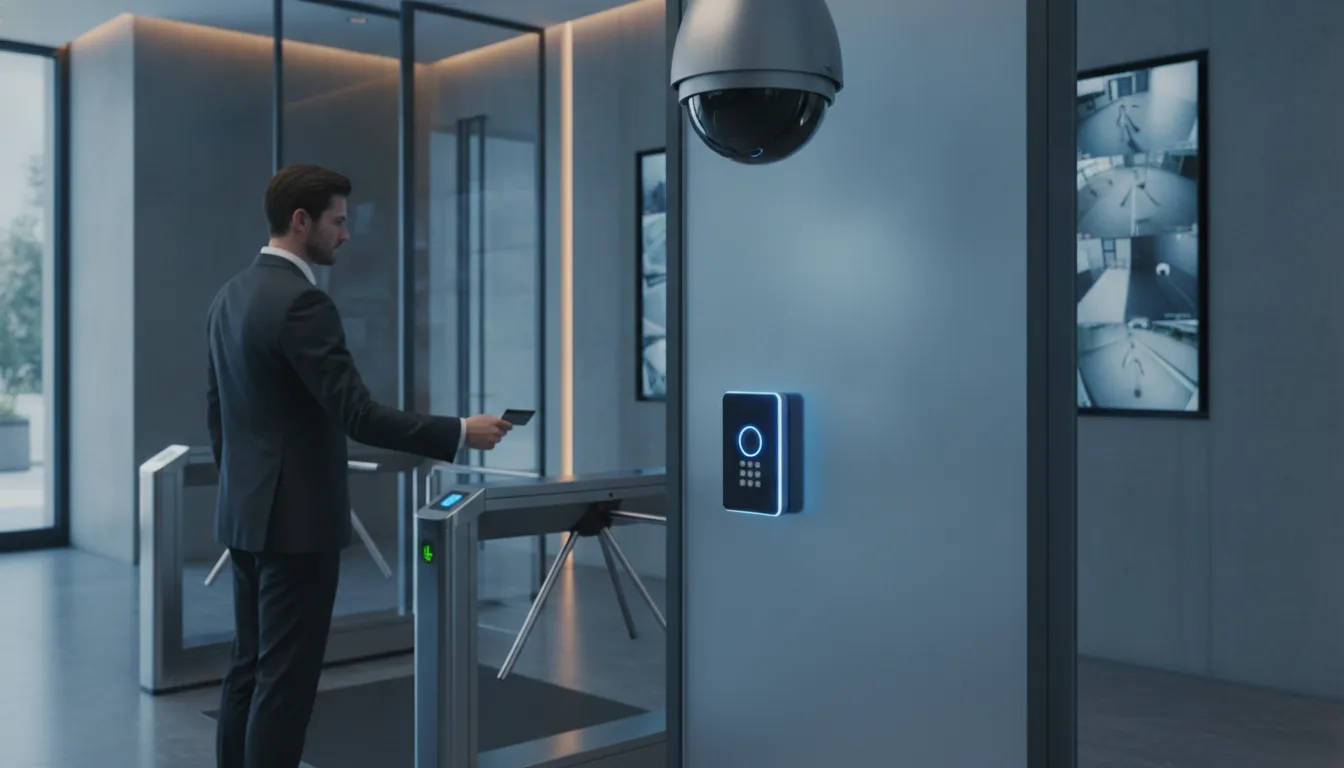
A badge log can tell you that someone opened a door. A camera can show what happened nearby. When those systems work separately, staff may need to search through different tools to connect the details. Commercial security cameras integrated with access control bring video and entry events into a more connected workflow. Teams can review related footage, check unusual activity, and find information for incident follow-up with less manual searching. The right setup depends on your building, existing equipment, network, and daily procedures. For Houston organizations, planning these pieces together can help create a system that supports real work across entrances, restricted areas, and busy facilities.
Key Takeaways
- Link access events with camera footage: Connected systems help staff review relevant video alongside door activity, giving them clearer context during incident checks.
- Check site needs and compatibility first: Map coverage, access points, retention requirements, existing equipment, network capacity, and integration costs before selecting a system.
- Support the system with clear procedures: Set user permissions, privacy and retention rules, alert responses, staff training, and regular maintenance checks.
What Does Integration Mean?
An integrated camera and access control system connects the equipment and software that manage building entry and video surveillance. Instead of checking access logs in one system and searching camera footage in another, staff can use linked information to see what happened at a door, when it happened, and what the cameras recorded.
A typical setup includes cameras, card or mobile access readers, door controllers, access control software, and video management software. When these components communicate, an event such as a denied credential or a forced door can be associated with the relevant camera view. Depending on the system, staff may be able to open live video, review recorded footage, or search for related events from a shared interface. This brings access control and video surveillance into a more connected workflow.
Integration does not necessarily mean every device comes from one manufacturer. Compatibility depends on the equipment, software versions, network design, and connection methods. Before choosing a system, confirm which components can share events and video, and whether the setup supports the way your team works. A site-specific planning process can help identify requirements and potential compatibility issues before installation begins. It can also clarify which existing devices may be reused and which features staff need for daily monitoring and incident reviews.
Connect cameras, access readers, access control software, and video management software
The core of an integrated system is a reliable connection between door hardware and video software. A reader sends a credential decision to the access control software, which tells the door controller whether to unlock. Cameras capture activity near the entrance, while video management software organizes live feeds and recorded footage. Integration links these systems so an access event can direct staff to the relevant camera and time.
For example, a manager reviewing a denied entry may be able to select the event in an access log and view footage from the nearby camera. The exact workflow depends on the products and configuration, so confirm that the specific readers, controllers, cameras, and software versions work together. FastString’s security and technology services include access control and video surveillance, which can be planned as coordinated parts of a site’s system.
Link denied entry or forced-door events to live or recorded video
When someone presents an invalid credential, the system can record the denial and associate it with video from the entrance. A forced-door event, such as a door opened without an authorized unlock, may also trigger a notification and link to live or recorded footage. This gives staff helpful context. They can see whether someone tried to enter, followed another person through the door, or encountered a hardware issue.
Event-to-video links can support immediate checks and later investigations. Before purchasing, ask how quickly footage becomes available, how long clips remain accessible, and whether the selected camera covers the full entry area. Combining video with other security tools can make it easier to review activity and investigate security events. Staff should still follow established response procedures when an alert comes in.
Automate alerts and searches while leaving response decisions to staff
An integrated platform can automate routine tasks, such as notifying designated staff when a door is held open or grouping video around a specific access event. Some systems also let users search by time, camera, door, or event type. These features can reduce the time employees spend switching between tools and help them find relevant footage during an incident review.
Automation should support trained staff, not make decisions for them. Set alert rules around meaningful events, assign responsibility for reviewing notifications, and define when an issue needs escalation. Too many low-priority alerts can make important events easier to miss. Use analytics and search tools to organize information and identify patterns, then have staff assess the context and decide what action to take. Integrated security systems can help teams review activity, but clear response procedures and human oversight remain essential.
Check whether existing cameras, readers, cabling, and network equipment can stay
A new integration does not always require replacing every camera, reader, or cable. Some existing equipment may work with the new platform, depending on its age, condition, connection standards, software support, and performance. A technical assessment can identify what can stay, what needs a firmware or configuration update, and what should be replaced to meet coverage or security requirements.
Ask your provider to check camera compatibility, reader and controller support, cable condition, network capacity, and available power before finalizing a design. Confirm that retained equipment can receive needed updates and support the features you plan to use. Reusing infrastructure may reduce the project scope, but unsupported devices can create reliability or cybersecurity concerns. A camera integration guide explains why assessing existing equipment is a useful step before deciding what to replace.
How Do Integrated Cameras and Access Control Improve Security?
When cameras and access control share information, staff can connect a door event with video from the same location and time. This adds context that neither system provides alone. For Houston organizations with multiple entrances, restricted areas, or busy shifts, that context can make it easier to assess activity and follow established response procedures. FastString Professional Services plans and installs integrated security systems as part of its broader technology services.
Verify unusual access activity with video
An access log can show that a credential was used to open a door, but not who used it. A camera can show activity nearby, but without access data, staff may not know which event to review. When the systems are integrated, teams can check video linked to events such as repeated denied entries, a door held open, or access at an unusual hour.
For example, if a badge is used outside an employee’s normal schedule, staff can review the associated footage and determine whether the activity needs follow-up. Integration helps verify events, but staff still need to use their judgment and follow site procedures. Linking CCTV with access control can give teams a clearer picture of what happened at a door.
Give security teams context to respond faster
An alert is more useful when it includes details that help staff assess the situation. An integrated system can connect a door event with the relevant camera view, timestamp, and access record. Instead of switching between separate tools and searching manually, an operator can review related information in one place.
That context can help staff decide whether to check another camera, contact an employee, notify a supervisor, or follow an emergency procedure. Automated alerts can flag activity, but people should make response decisions based on site policies and what they see. Integrated systems can also help teams spot recurring patterns and assess risks over time, as described in commercial security system trends.
Search access logs and footage together during incident reviews
After an incident, staff may need to establish when someone entered an area, which credential they used, and what happened nearby. Linking access records with video makes it easier to search by door, event, and time. Teams can focus on relevant footage instead of reviewing unrelated recordings and logs separately, which can make internal reviews more organized.
Set clear procedures for preserving footage and limiting access to incident records. Retention periods, privacy obligations, and reporting requirements depend on the organization and location, so confirm what applies to your site. A combined view of access events and video can support a more efficient review, while documentation and oversight help ensure findings are handled consistently.
Set role-based permissions for systems, footage, and admin tools
Not every user needs the same level of access. A front-desk employee may need to view a live camera feed, while a security manager may need to search recordings or review access logs. System administrators may need to add users, change settings, or update device configurations. Role-based permissions help limit each account to the tasks required for that person’s job.
Review permissions when employees change roles or leave, and remove access that is no longer needed. Use individual accounts, strong credentials, and audit logs where available so teams can track who viewed footage or changed settings. Digital access permissions can also be updated without replacing physical keys, a benefit noted by access control providers.
Which Camera Types and Deployment Options Fit Your Site?
Choose cameras and system components based on the areas you need to monitor, your building’s layout, and how your team will review footage. A clinic may prioritize entrances and medication storage, while a school, warehouse, or office may need coverage for hallways, loading areas, or parking lots. Map your site and daily operations first, then compare camera types, connections, and storage options.
Choose dome, bullet, PTZ, or multisensor cameras for your coverage needs
Dome cameras have a discreet design and can provide broad coverage in indoor spaces such as lobbies, hallways, and customer areas. Bullet cameras are suited to longer views, which can make them a practical choice for building exteriors, parking lots, and perimeter lines. PTZ cameras let authorized staff pan, tilt, and zoom remotely, helping them monitor larger areas. Fisheye and multisensor cameras can capture wide views from a single location, such as an open lobby or workspace. Review commercial camera types alongside your lighting, mounting locations, and coverage goals. The best fit depends on what staff need to identify in the footage, not only the area a camera can see.
Plan views for entrances, interiors, perimeters, parking, and sensitive areas
Mark the views you need before selecting camera locations. Entrances may call for clear images of people entering and leaving, while cameras in shared indoor spaces can help teams review activity. Outdoor coverage should account for lighting changes, weather exposure, vehicle movement, and long sightlines. Consider whether loading zones, parking areas, restricted rooms, or critical equipment need dedicated views. Check for obstructions such as walls, doors, signs, and fixtures, and avoid relying on one camera to cover several areas if important details could be missed. A site survey can identify blind spots and help coordinate camera positions with access-controlled doors. Hanwha Vision’s guide to business camera systems outlines factors such as facility size, budget, and technical requirements to consider when planning coverage.
Compare wired PoE, wireless, and hybrid deployments
Power over Ethernet (PoE) cameras use network cabling to carry both power and data. A wired setup can provide a stable connection, but installation may require cabling work, and relocating cameras later can take more effort. Wireless cameras can be easier to install or reposition, though their performance depends on a reliable Wi-Fi or cellular signal and sufficient network capacity. A hybrid system combines wired cameras in critical locations with wireless devices where running cable is difficult. Consider distance from network equipment, power availability, interference, and how important continuous recording is in each area. Avigilon’s overview of camera systems offers a useful comparison of wired and wireless trade-offs.
Choose on-premises, cloud-managed, or hybrid video storage
On-premises storage keeps recordings on servers or recorders at your facility. It gives your organization direct control over footage, but your team must plan for maintenance, capacity, backups, and upgrades. Cloud-managed systems can support remote access and make it easier to add capacity, depending on the service and subscription. A hybrid setup combines local recording with selected cloud features, such as off-site backup or remote viewing. Before choosing, confirm where recordings are stored, who can access them, how long they are retained, and what happens if your internet connection is interrupted. Match the storage model to your privacy policies, IT resources, and incident review process.
Plan for bandwidth, power, cabling, retention, and expansion
Camera performance depends on the infrastructure behind it. Higher-resolution video and longer retention periods require more network capacity and storage. Check that switches, cabling, power sources, and recording equipment can support the number of cameras and the video quality you need. Allow for future additions, including cameras and access-control devices, if your site may expand. Decide how staff will retrieve footage, manage permissions, and handle system alerts. Involve IT and security teams early so the design fits daily operations and existing equipment. FastString’s technology services include video surveillance, structured cabling, and networking, helping Houston-area organizations plan connected systems together.
Which Features and Compatibility Checks Matter Most?
A strong integrated system is not simply a collection of high-spec cameras and door readers. Each component needs to work with the others, and the system should give staff useful information without adding unnecessary steps to their work.
Before choosing equipment, consider what each area needs to capture, how access events should connect to video, and who will use the system. Ask your provider to confirm compatibility for specific device models and software versions, then demonstrate important workflows before you commit. For Houston-area organizations with existing infrastructure, a professional assessment can also help identify which equipment can stay and what needs to change.
Compare resolution, low-light performance, field of view, and frame rate
Resolution affects how much detail a camera records, but the right choice depends on the scene. A camera covering a reception desk may need to capture faces at close range, while a parking-area camera may need a view suited to a wider space. Consider low-light performance for entrances, loading areas, and parking lots, along with field of view and frame rate to ensure the camera captures the coverage and movement you need.
Higher settings can increase storage and network demands, so match specifications to each camera’s role rather than selecting the highest option throughout the site. Hanwha Vision’s guide to business security cameras outlines how camera systems help organizations monitor people and property.
Confirm cameras, access control, video software, and readers work together
Check that the cameras, access control panels, readers, video management software, and access control software can share the information your team needs. In particular, ask whether a denied-entry or forced-door event can bring up the relevant live view or recording. Confirm support for the exact models and software versions you plan to use, including any equipment you want to keep.
A system may be compatible at a brand level but still lack support for a particular feature or device version. Ask your provider to demonstrate the event-to-video workflow with the proposed equipment. Connecting video with access control and alarms can support centralized management, as described in Electronic Supply’s CCTV guidance.
Check integration, API, standards, license, and firmware requirements
Ask how the systems communicate and what is needed to maintain the connection. Depending on the products, integration may rely on an API, a vendor-supported connection, or a standard such as ONVIF. Confirm that the required device models and software versions are supported, and check whether the integration requires extra licenses for camera channels, software features, or third-party connections.
Review firmware requirements and update procedures, too. An update to one component can affect how another component works, so clarify who manages updates and how compatibility is verified. Request written details about dependencies, license costs, and support responsibilities before purchase. Pavion’s overview of commercial security systems emphasizes the planning and technical coordination involved in integrating components.
Assess analytics, event search, alerts, playback, and retention controls
Live viewing is only one part of daily system use. Look for practical tools such as alerts tied to access events, search filters, and playback across multiple cameras. Ask staff to test how they would find footage after a door event: Can they search by time, location, or event type? Can they quickly review the relevant camera views and export recordings when needed?
Also review storage limits, retention settings, backup options, and the records created when footage is viewed or exported. Make sure the system can apply your retention rules consistently and that staff know how to retrieve recordings. Reliable storage and routine maintenance help preserve footage for later review, a point covered in BCS Consultants’ commercial camera guide.
Review cybersecurity, privacy, network capacity, and user permissions
Connected cameras and access control devices should be included in your organization’s cybersecurity planning. Ask how devices receive firmware updates, whether administrators can change default credentials, and whether the system supports encrypted communication and network segmentation. Estimate bandwidth and power needs before adding cameras, especially when coverage spans multiple buildings or includes high-resolution video.
Set permissions by role so employees can use the features they need without receiving unnecessary access to footage or system settings. Establish who may view, export, or share recordings, and document privacy and retention procedures. Physical security and cybersecurity should be considered together, as Smart Digital’s overview explains.
How Should You Compare Systems and Integration Providers?
A good provider should recommend a system that fits your site, works with your current equipment where possible, and remains supportable over time. Compare more than camera specifications and price. Look at how each provider assesses your needs, tests integrations, coordinates installation, and supports the system after handoff.
Define site risks, industry requirements, existing infrastructure, and essential features
Before comparing proposals, list what the system needs to do. Identify entrances, restricted areas, parking lots, and other locations where you need video coverage or controlled access. Consider your industry’s requirements, daily traffic, operating hours, and incident response procedures. A healthcare facility, school, bank, and warehouse can have very different coverage and retention needs.
Ask providers to assess your existing cameras, readers, cabling, network, and storage before recommending replacements. A site review can show which components are suitable to keep and clarify which features matter most, such as low-light recording or video linked to access events. Assessing site risks and security needs can help you prepare focused questions for each provider.
Compare product ecosystems for compatibility, support, security, and lifecycle needs
A system works best when its cameras, access readers, software, and network can communicate reliably. Ask providers to identify the products and versions they recommend, explain which integrations they support, and flag any licensing or firmware requirements. Confirm how updates are handled and what options you have if a manufacturer stops supporting a product.
Also ask who will provide technical support, how service issues are escalated, and whether your organization can manage the system if you later change providers. Clarify how user permissions, cybersecurity updates, and future expansion will work. Integration depends on coordination and technical planning, so ask how the provider will test compatibility before installation. Planning compatibility between security components can help you shape those questions.
Ask providers to demonstrate access-event-to-video workflows before you buy
Request a demonstration based on situations your staff may encounter. Ask the provider to show what happens when someone uses an invalid credential, forces a door, or leaves a door open. Can an authorized user find the related footage quickly? Does the interface connect the event time and door to the relevant camera? Can staff review recordings without jumping between several tools?
A hands-on demonstration shows whether the proposed integration suits your team’s routines. Ask who receives alerts, what details they see, and how they can search for events after an incident. Confirm that the system keeps an audit trail of user activity. The goal is to give staff helpful context, not to replace their judgment. Seeing access control and video work together can help you assess whether a workflow is practical.
Review documentation, warranties, licenses, upgrades, and support terms
Ask for a written scope of work that lists the equipment, software, integrations, installation tasks, and testing responsibilities. Review warranty coverage for cameras, readers, and other hardware, including exclusions. Confirm whether software licenses are recurring or perpetual, what they include, and whether costs change when you add users or devices.
Get the support terms in writing, including response times, maintenance, software and firmware upgrades, and equipment replacement. Ask what documentation you will receive, such as device lists, configuration records, network details, and user instructions. Clarify who owns system data and recorded footage, how backups work, and what happens if a service agreement ends. Regular maintenance helps keep cameras operating as intended, so include it in your long-term budget.
Consider FastString Professional Services for Houston-area planning and coordinated installation
For Houston-area organizations, coordinating security, IT, and cabling work through one provider can simplify a project. FastString Professional Services offers access control and video surveillance, alongside services such as structured cabling and managed IT. This range can be useful when an integrated security system also requires network upgrades or new cabling.
Ask how the provider will assess your site, coordinate with your staff, schedule installation, and test the finished system. You can review FastString’s project process and compare its proposed scope, timeline, support terms, and documentation with other bids. Confirm applicable licensing and credentials as part of your evaluation; FastString lists a Texas Department of Public Safety license on its About page. The right provider should explain trade-offs clearly and give your team a practical plan for installation and ongoing support.
What Does an Integrated Camera and Access Control System Cost?
An integrated camera and access control system has no standard price. A small office with a few doors has different requirements from a hospital, school, bank, or industrial site with multiple buildings, restricted areas, and longer video-retention needs. The final cost depends on the number and type of cameras and access points, the condition of your existing infrastructure, the level of integration, and the support your organization requires.
Look beyond equipment prices when setting a budget. Include installation, cabling, software, storage, network capacity, recurring fees, and ongoing maintenance. A lower upfront price may come with higher operating costs or limited room to expand.
Before requesting proposals, document your access points, coverage priorities, retention needs, and existing equipment. Then ask providers for an itemized estimate that separates one-time costs from ongoing fees. A clear scope makes it easier to compare proposals, identify possible gaps, and choose features that support your security goals.
Budget for cameras, access hardware, software, licenses, storage, and networking
List the components your site needs before comparing proposals. Your budget may include cameras, door readers, electronic locks, controllers, video management and access control software, licenses, storage, and network equipment. The number and type of devices affect the total. A parking area, for example, may need different coverage from an interior entrance or reception desk.
Account for the infrastructure behind those devices, too. Network switches, power supplies, and storage capacity can add costs, particularly if existing equipment needs an upgrade. Commercial security system costs vary with property size, system complexity, and service needs. Ask providers to itemize equipment, software, and licenses separately so you can see what each proposal includes and compare estimates on equal terms.
Include installation, cabling, configuration, and integration complexity
Installation costs depend on the building as well as the equipment. A site with accessible cable pathways and compatible devices may be simpler to outfit than one that needs new cabling, network upgrades, or work across several occupied buildings. Labor may include mounting cameras, wiring doors, configuring software, testing event links, and training staff.
Integration also requires planning. Cameras and access control need to work together reliably, not just operate as separate systems. When different vendors handle each part, coordination can add labor, extend the schedule, or disrupt business operations. Planning CCTV and access control integration as one project can help clarify responsibilities. Request a written scope that lists installation tasks, testing, configuration, and who will resolve compatibility issues.
Compare upfront costs with subscriptions, bandwidth, and recurring fees
An initial quote does not show the full cost of ownership. Cloud-managed video, software licenses, remote monitoring, and technical support may involve recurring fees. Video can also use significant network bandwidth, especially when many cameras stream high-resolution footage or staff access live views remotely.
Ask providers to list one-time and recurring charges, including fees for adding users, cameras, or storage. Compare cloud, on-premises, and hybrid storage based on your retention needs and IT resources. Commercial systems can use local recording, cloud storage, or a combination, with different costs and management requirements. This guide to commercial surveillance systems outlines common storage approaches. Confirm how long footage is retained, what storage is included, and whether bandwidth limits or subscription terms could affect day-to-day use.
Plan for maintenance, upgrades, retention, and expansion
Set aside funds for routine checks, repairs, software updates, and device replacement. Cameras can shift out of position, readers can fail, and storage equipment may need attention. Ask what maintenance and support are included, how quickly the provider responds to service requests, and whether site visits or replacement parts cost extra.
Retention affects long-term expenses, too. Keeping footage for more days requires more storage, while adding cameras can increase storage and licensing needs. If you expect to add doors, buildings, or users, discuss expansion plans before choosing a system. Confirm that future upgrades will work with existing devices and integrations. A commercial CCTV maintenance checklist can help you identify ongoing tasks to discuss with your provider, from checking camera views to maintaining reliable recording.
Match costs to business size, site risk, and total ownership costs
Base your budget on your site’s risks and daily operations, not just its square footage. A bank, healthcare facility, school, and warehouse may each need different camera coverage, access permissions, retention periods, and response procedures. Identify the areas that require the most protection, then prioritize features that address those needs. Avoid paying for capabilities your team will not use, but make sure important entrances and sensitive areas receive adequate coverage.
Compare proposals over the expected life of the system, including installation, subscriptions, maintenance, storage, and expansion. Ask providers to explain how each cost supports your requirements and to identify optional features separately. Houston-area organizations can work with FastString Professional Services to plan coordinated technology projects around their sites and operations. Request a clear scope and itemized estimate before approving the work.
Which Integration Challenges Should You Plan For?
Connecting cameras with access control can help teams understand what happened during a security event. To make that connection dependable, plan for compatibility, storage, cybersecurity, staff training, installation logistics, and clear response procedures. Addressing these needs early can reduce rework and help the system fit your site’s daily operations.
Requirements differ across a clinic, school, bank, and industrial facility. Document your priorities, identify who will maintain the system, and test important workflows before relying on them.
Resolve hardware, software, and protocol incompatibilities
Cameras, access readers, controllers, and management platforms may use different protocols or support different integration features. Compatibility can also depend on a specific model, firmware version, software license, or configuration. Ask your provider to confirm that the exact equipment you plan to use can share access events and related video, rather than relying on a general claim that the products integrate.
Have the provider demonstrate common tasks, such as opening a door event and viewing the associated footage. Check whether existing cameras, readers, cabling, and network equipment can remain in service. Planning for compatibility and communication between components can help surface gaps before installation. Request a written list of supported devices, required licenses, and equipment that needs replacement.
Manage storage demands, access-event volume, and alert fatigue
Video storage needs depend on factors such as camera count, resolution, frame rate, and retention period. Access-control events add another source of information for staff to review. Decide how long footage must be available, who may retrieve it, and how quickly your team needs to locate relevant video. Include storage capacity, backup procedures, and retention settings in the system plan.
Too many notifications can make it harder to spot events that need attention. Set alert priorities based on site risks, such as forced-door activity or access outside approved hours, then review the settings after installation. Make sure staff know how to find and preserve relevant footage. Reliable storage and routine surveillance maintenance support evidence preservation and system performance.
Reduce cyber risks across connected devices and networks
Integrated security systems connect cameras, access controllers, software, and networks, so each device needs appropriate protection. Replace default credentials, use unique passwords, apply software and firmware updates, and limit administrator permissions to staff who need them. Network segmentation can separate security devices from general business traffic while allowing approved communication between systems.
Ask vendors how they manage updates, encryption, user permissions, and security notices. Confirm who will apply updates and review system access after installation. Include cameras and access control in your broader cybersecurity plan, alongside your other connected devices. The growing connection between physical and digital security makes coordination important, as explained in this overview of cybersecurity for connected physical security systems.
Plan for training, maintenance, integration costs, and possible downtime
Set aside budget for configuration, licenses, storage, training, routine maintenance, and future upgrades. If multiple vendors are involved, clarify who coordinates cabling, device setup, and integration testing. Without clear ownership, project delays, added costs, or unresolved system issues can follow. Ask providers to identify these responsibilities before work begins.
Schedule installation around critical operations, and agree on temporary procedures for doors and monitoring while work is underway. Train staff to review events, export footage, and report equipment problems. Coordinating cabling and integration work can help limit disruption, as described in this guide to integrating CCTV and access control. FastString’s project process describes its collaborative approach to planning and delivering technology projects.
Set clear response, escalation, and oversight procedures
A system can connect an access event to video, but staff still need to decide how to respond. Define which alerts require immediate action, who receives them, and when to contact a supervisor, security team, or emergency services. Document how employees should verify an event, preserve relevant footage, and record the steps they take.
Set rules for reviewing activity and managing permissions. Specify who can change access schedules, view or export footage, and approve user accounts. Review these responsibilities when staff roles change, and practice escalation steps during training. Bringing video and access information together can help teams assess events, but consistent procedures guide how they use that information. This overview of integrated access control and video surveillance offers additional context for coordinating security systems.
How Should You Deploy, Secure, and Maintain the System?
A reliable camera and access control system depends on more than equipment. Cameras, readers, software, the network, and staff procedures all need to work together. Start by identifying the areas and events that matter most, such as a forced door, an after-hours entry, or a denied credential. These details help your team and installer plan camera placement, alerts, permissions, and response steps around real operations.
Treat installation as the start of an ongoing process. A camera view can become obstructed, a reader can lose its connection, or a software update can affect how event links work. Set a regular schedule for inspections and make it clear who manages maintenance, footage requests, user access, and incident escalation.
For Houston-area organizations, planning security work alongside cabling, networking, and other building technology can help keep a project coordinated. FastString Professional Services describes its collaborative project process and offers security and technology services for businesses and institutions. Use the steps below to prepare your site, verify the integration, and keep the system dependable.
Survey the site and define camera coverage, access points, and retention needs
Walk the site with operations, security, and IT staff before choosing equipment. Mark entrances, staff-only doors, loading areas, parking, reception desks, and sensitive spaces. Note lighting changes, glare, weather exposure, and obstructions that could affect camera views. For each controlled door, record the reader location and the events staff need to verify, such as a denied entry or a door held open.
Next, define how long footage should be retained and who may retrieve it. Retention needs depend on business operations, storage capacity, incident response, and applicable policies. Document the requirements before selecting storage or setting recording schedules. A site-specific camera plan can help align coverage decisions with your organization’s risks and daily work.
Test compatibility, alerts, and event workflows before full deployment
Before installing across the entire facility, test a representative camera, reader, and software workflow. Confirm that an access event appears in the video platform and that staff can open the related live or recorded view. Include routine cases and exceptions, such as denied credentials, forced doors, doors left open, and after-hours access.
Check that alert recipients, timestamps, camera names, and search results make sense to the employees who will use them. A system may connect technically but still cause confusion if an alert points to the wrong camera or footage is hard to find. Ask the provider to document test results and resolve issues before expanding the installation. Careful integration planning can reveal compatibility issues early and help prevent rework.
Coordinate installation to limit business disruption
Plan installation around operating hours, busy periods, restricted areas, and site safety requirements. Identify when technicians need access to doors, ceilings, network closets, or public areas, then agree on work windows with the people responsible for those spaces. Clinics, schools, banks, and industrial sites may also need specific procedures to protect patients, students, customers, or production activity.
Coordinate camera installation, reader work, cabling, network configuration, and software setup as parts of one project where possible. This can reduce repeat visits and make it easier to test the complete workflow as components come online. Before work begins, agree on temporary security measures for doors or cameras that will be offline. A coordinated CCTV and access control installation can help reduce avoidable disruption.
Secure devices with updates, strong credentials, network segmentation, and limited permissions
Treat cameras, readers, servers, and management software as connected technology that needs ongoing protection. Replace default credentials with strong, unique passwords, and use multifactor authentication where available. Give each person only the access needed for their role. Review permissions when responsibilities change and remove access promptly when someone leaves.
Ask your IT team to review how security devices connect to the network. Network segmentation can separate cameras and access control equipment from general business systems, helping limit exposure if a device is compromised. Keep firmware and software current, but test updates in a controlled way before applying them to critical equipment. After an update, verify that recording, access events, and video links still work. These CCTV maintenance practices can help teams check system performance after changes.
Set privacy, retention, backup, and audit procedures
Create clear rules for what the system records, how long footage is kept, and who can view, export, or share it. Set retention periods based on business needs, storage capacity, and applicable requirements. Avoid recording areas where surveillance is inappropriate, and post notices when required by policy or law. Organizations operating across multiple locations or jurisdictions should ask the appropriate compliance or legal adviser to review their procedures.
Decide how staff should preserve footage after an incident, including who can pause routine deletion and how evidence should be transferred. Protect backups and exports with access controls, and keep an audit trail of searches, downloads, and permission changes. Check that storage is functioning and retained footage can be played back. Consistent storage and maintenance practices support evidence preservation and careful handling of recordings.
Train staff to manage alerts, permissions, footage, and incident response
Train staff on the tasks they will perform, not just the software’s features. Show authorized users how to acknowledge alerts, open linked camera views, review footage, and report a possible incident. Explain who can change permissions, export recordings, or contact technical support. Use examples from the site, such as a propped door or an unfamiliar after-hours entry, so employees can practice the right steps.
Set a clear escalation path for urgent events, equipment faults, and footage requests. Staff should know when to contact a supervisor, security team, IT, or emergency services, and understand that an alert does not always mean a threat has been confirmed. Review procedures when roles or systems change, and include refresher training for new employees. Clear responsibilities help staff use the system consistently and handle information with care.
Regularly test camera views, readers, event links, playback, and device health
Create a recurring inspection schedule and assign responsibility for each check. Confirm that cameras still cover the intended areas, lenses are clean, mounts are secure, and low-light views remain usable. Test readers with authorized credentials, then verify that denied entries, forced doors, and held-open events appear correctly in the software.
Review recorded footage to check playback, timestamps, retention, and remote access. Also check device health, network connections, storage capacity, and alert delivery. Record faults and repairs to help identify recurring problems. Monthly inspections can include cleaning lenses, testing playback, and reviewing motion detection, as described in this commercial camera maintenance guide. After repairs, configuration changes, or software updates, retest the full access-event-to-video workflow.
Frequently Asked Questions
Can I connect older cameras and card readers to a new access control system?
Possibly. Compatibility depends on each device’s model, condition, firmware, and software support. Have a provider assess your equipment and demonstrate the key workflows before deciding what to keep or replace.
What happens when someone tries to enter with an invalid credential?
If the system is configured to link access events with video, an authorized employee may be able to open footage from the relevant camera and time. Staff should follow the site’s response procedures and assess the situation before taking action.
Is cloud storage or on-site video storage better for a business?
The right option depends on your retention needs, privacy policies, internet reliability, and IT resources. On-site storage keeps recordings at your facility, while cloud and hybrid options may offer remote access or off-site storage. Compare costs, access controls, and backup plans before choosing.
How can we keep security alerts useful for staff?
Set alerts for events that matter to your site, assign people to review them, and define when to escalate an issue. Review alert settings after deployment so routine notifications do not distract staff from events that need attention.
What should we ask an installer before approving a project?
Ask for a written scope covering equipment compatibility, licensing, installation, testing, training, support, and recurring fees. Request a demonstration of how staff will find video connected to an access event, and clarify who will handle updates and ongoing maintenance.